Models
Images*
Drag or upload  (0/10)
PNG, JPG, JPEG, WebP (max 16MB)
Aspect Ratio
Login for 10 free credits daily, then 4 credit / image
AI Image Resizer
Turn one photo into any size instantly. Meet all platform dimensions without cropping, reshooting, or losing that native quality.
AI Image Resizer

AI Image Resizer

Turn one product or UGC photo into multiple sizes with the AI Image Resizer. Meet all dimension requirements easily without cropping or reshooting. No sign-up.

Try AI Image Resizer Free
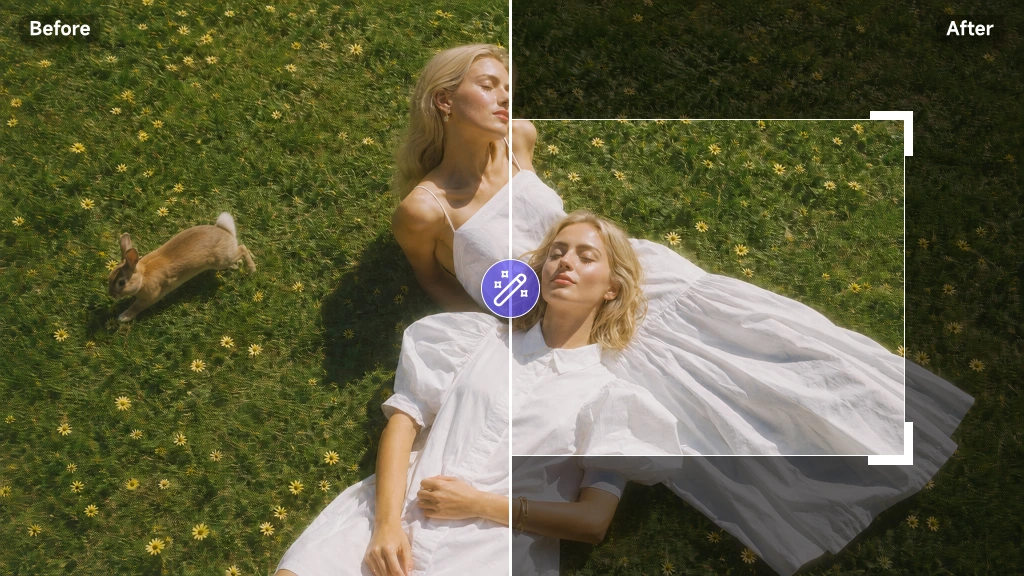
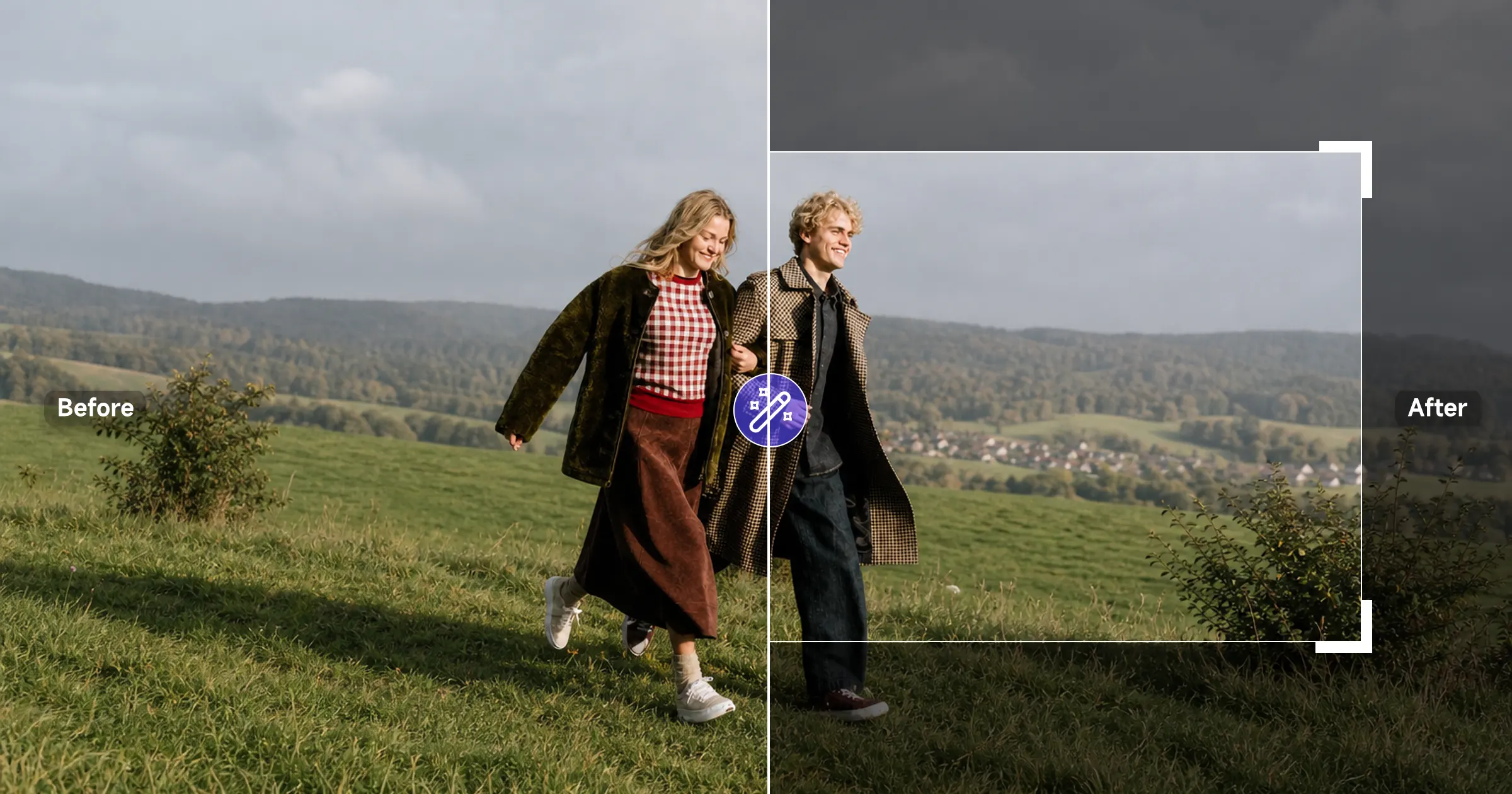
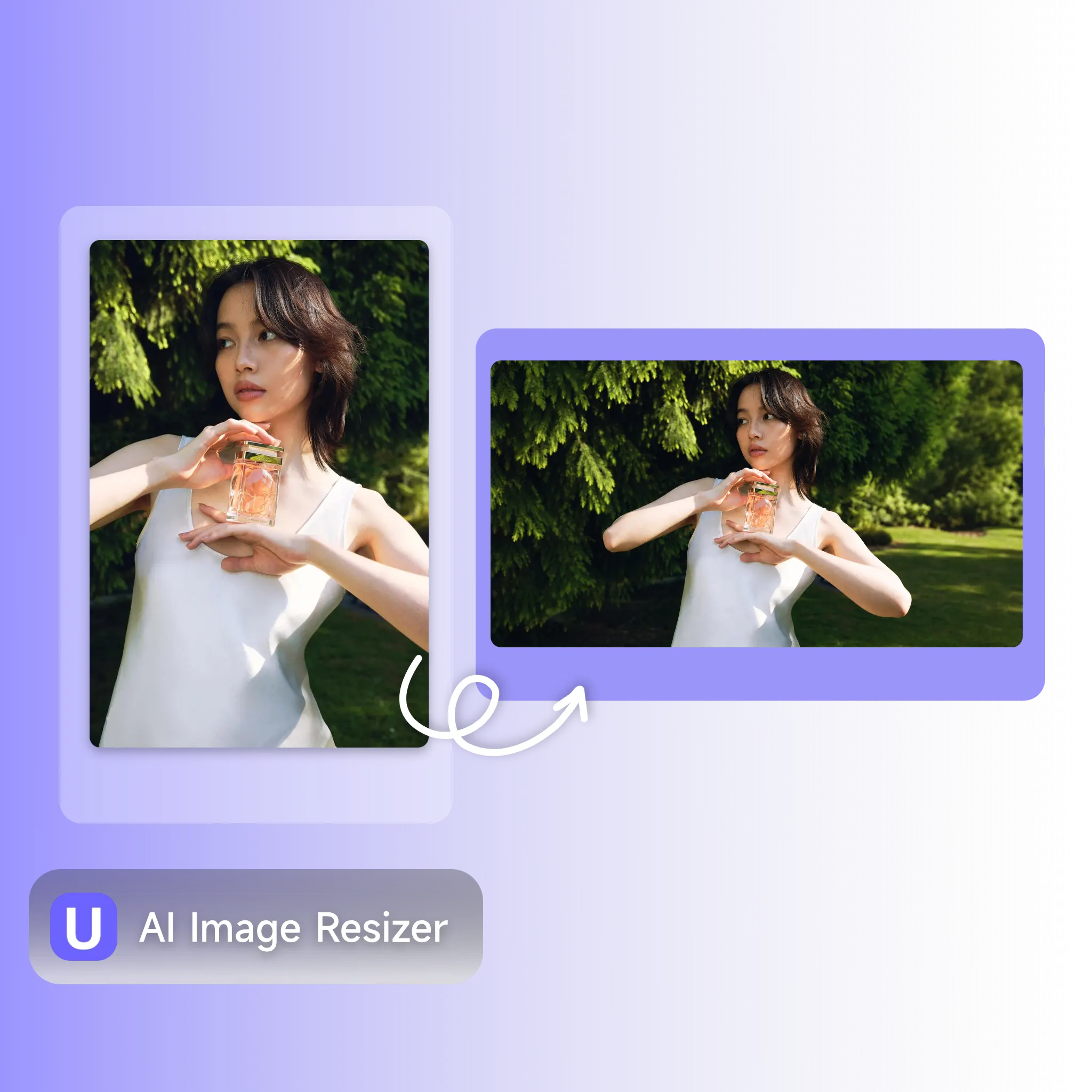
AI Image Resizer — before and after photo resizing without cropping

What is AI Image Resizer?

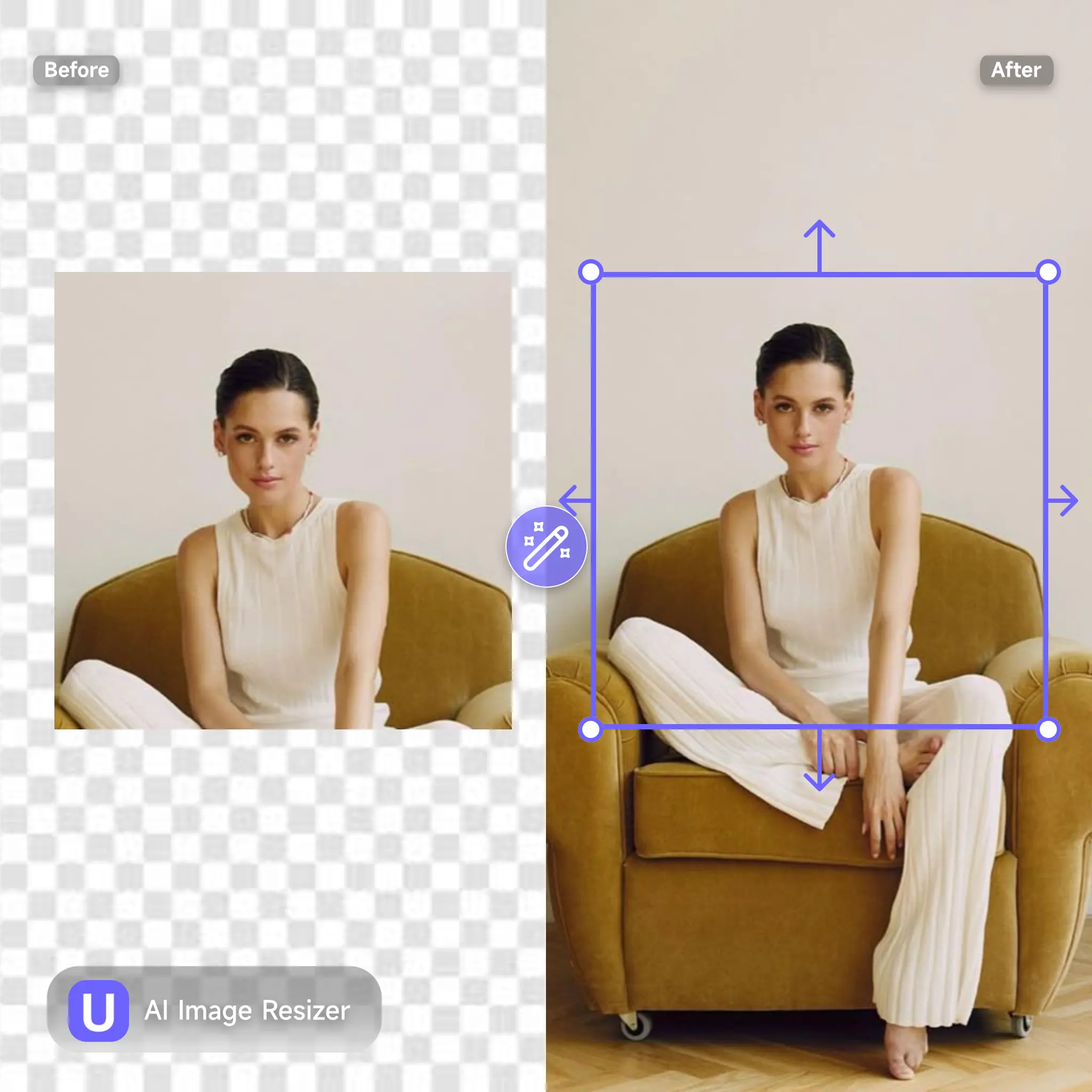
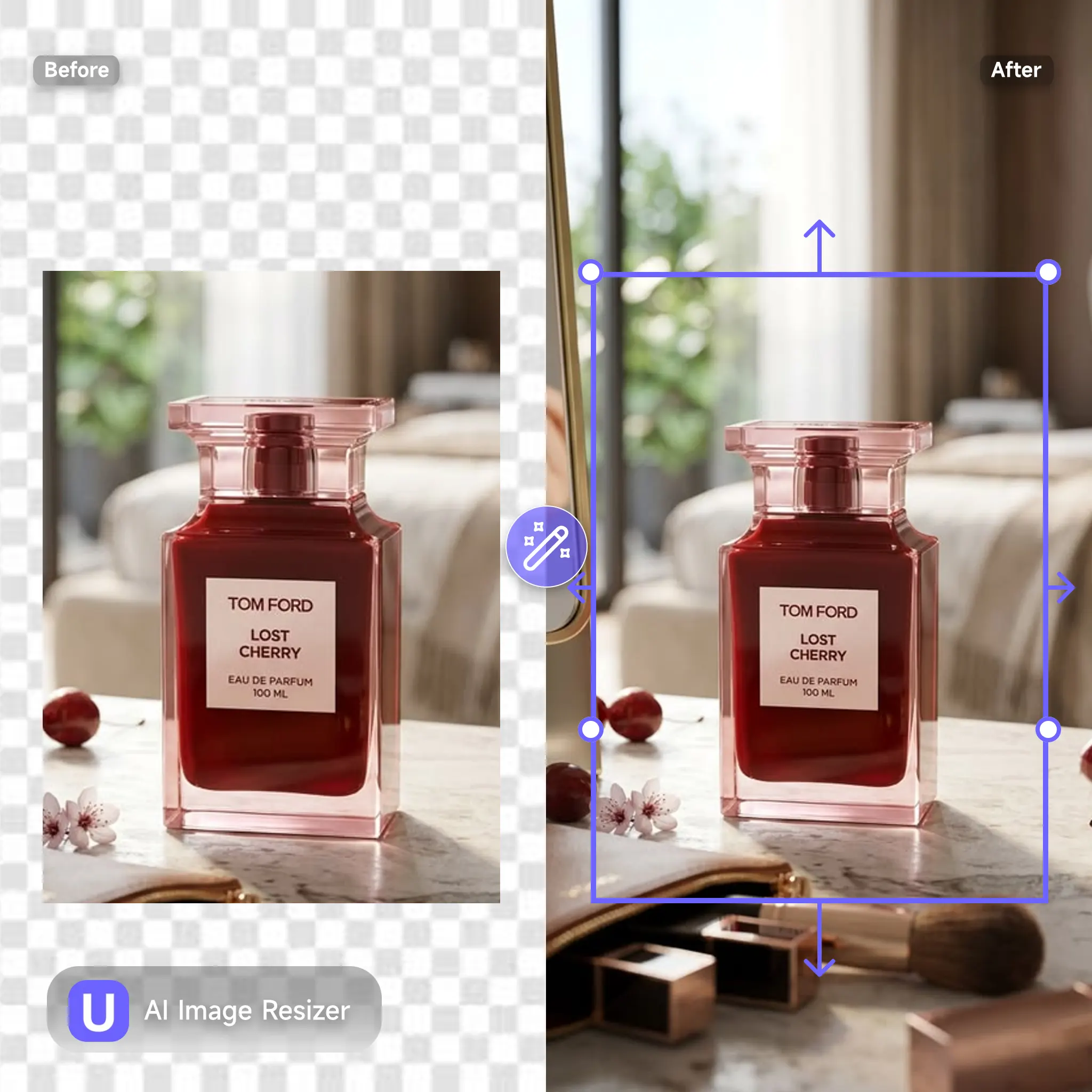
AI Image Resizer is an online tool that changes a photo's dimensions without cropping out the subject or stretching it out of shape. Upload a product shot or UGC clip frame, pick the size you need, and the AI expands the canvas around the original content, filling in new space with matching color and lighting instead of leaving blank edges or distorted proportions. It works across the formats sellers and creators use daily: square for feed posts, vertical for Stories and Reels, horizontal for banners and listings.

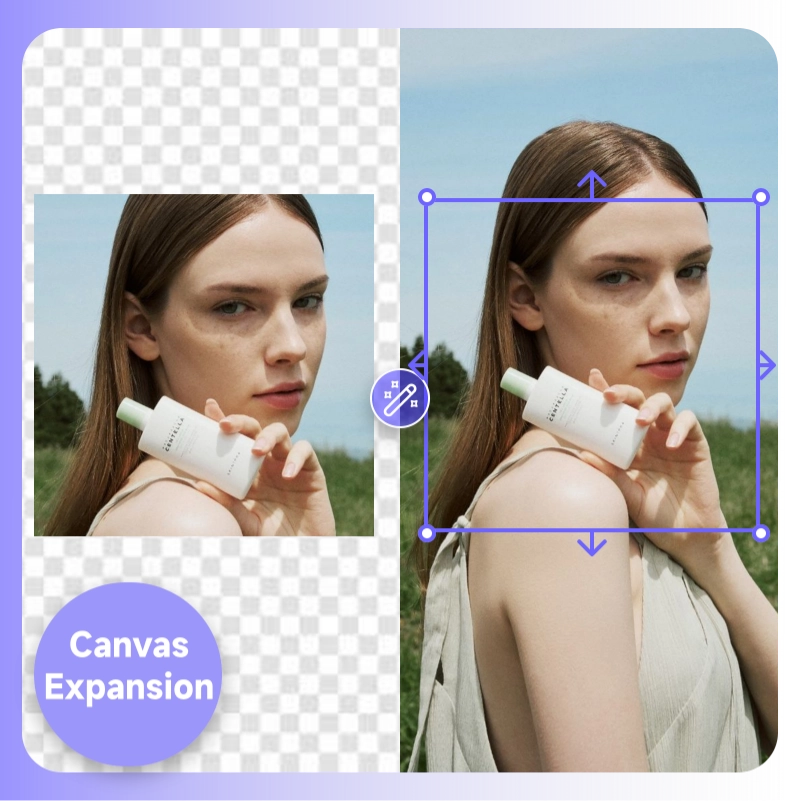
What is AI Image Resizer — canvas expansion without cropping or stretching

Why Use AI Image Resizer?

Switching platforms used to mean reshooting or manually cropping the same photo five different ways, and a tight crop often cut off the product or the logo entirely. AI Image Resizer removes that step. Preset sizes mean you don't type pixel dimensions by hand, and batch processing turns one upload into a full set of ready-to-use sizes in one pass. For sellers managing a growing catalog or creators posting across several channels, that's the difference between resizing as a daily chore and resizing as a problem solved once.

Why use AI Image Resizer — presets and batch resizing workflow

Every Platform Wants a Different Size

You shot one great photo, then one channel wants it vertical, your storefront wants it square, and the banner ad needs it wide. Cropping to fit means losing half the product or chopping off a logo at the edge. Stretching the image to fill the new frame just makes everything look warped. Reshooting for every format isn't realistic when you're managing dozens of SKUs or posting daily across multiple channels. AI Image Resizer solves this by expanding the canvas instead of cutting into it, so the same photo adapts to any size without losing what made it work in the first place.


AI Image Resizer solves mismatched dimension requirements across channels

What Makes AI Image Resizer Stand Out

From a single product listing to a full catalog refresh, AI Image Resizer gives sellers and content teams a faster way to hit every required dimension.

Canvas Expansion Instead of Cropping

Canvas Expansion Instead of Cropping

Resizing a photo usually means cutting into it. AI Image Resizer expands the canvas around your subject instead, filling new space with matching tone and lighting so the product stays fully visible and centered at any size.

Turn One Photo into Multiple Size Versions

Turn One Photo into Multiple Size Versions

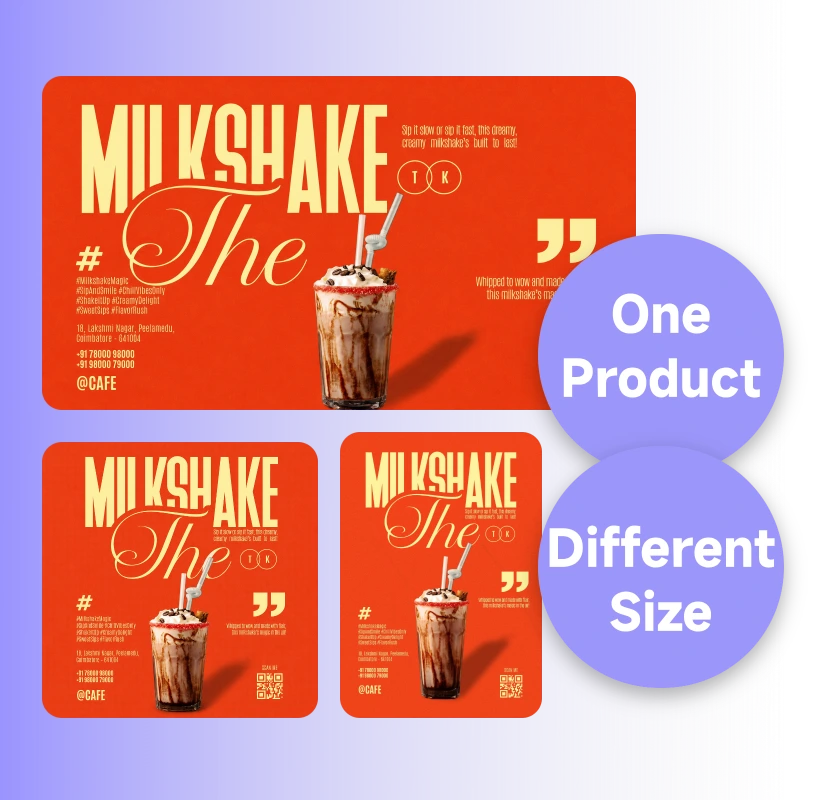
A single product photo doesn't have to stay locked to one format. AI Image Resizer creates every other size from that same shot, no separate photography needed each time a new dimension comes up.

Batch Resize, One Upload to Every Size You Need

Batch Resize, One Upload to Every Size You Need

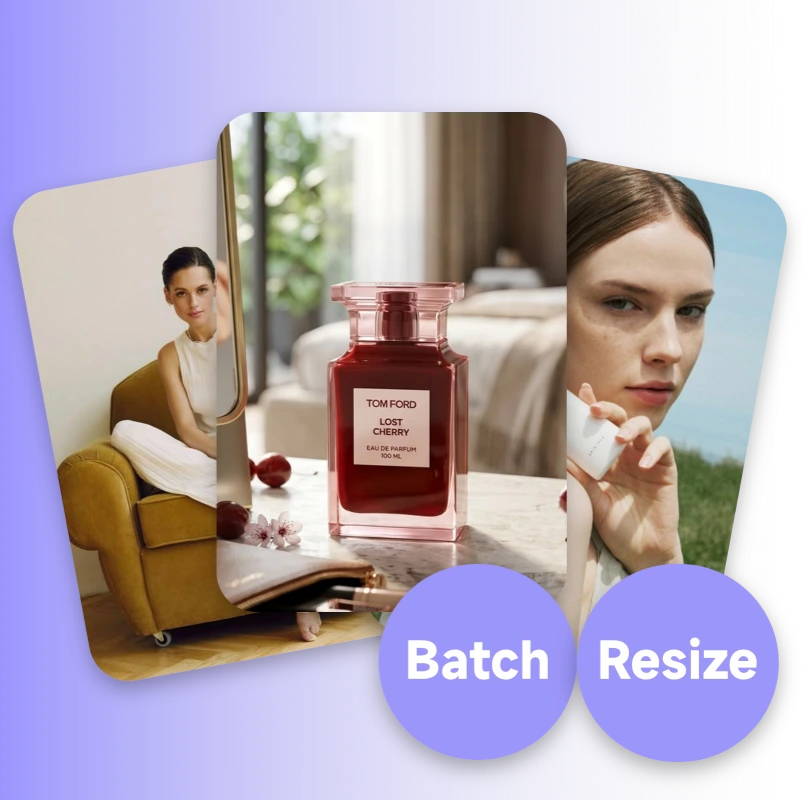
Catalogs don't have time for one-by-one resizing. Upload a set of product photos once, and AI Image Resizer generates every size variant you need in a single pass, consistent across the whole batch.

How to Use AI Image Resizer

No design software, no manual cropping, no pixel math. Upload your photo, pick a size, and AI Image Resizer delivers a ready-to-post image in a few seconds.

Upload Your Photo

Step 1: Upload Your Photo

Drop in a product shot, a UGC frame, or any image you need resized, in JPG, PNG, WebP format. AI Image Resizer accepts high-resolution files, so detailed commerce and campaign photos work fine.

Choose Your New Dimensions

Step 2: Choose Your New Dimensions

Pick a ratio like 1:1, 16:9, or 9:16. AI Image Resizer adapts the canvas to fit, keeping your subject centered.

Generate and Download

Step 3: Generate and Download

Click resize. AI Image Resizer fills in the new canvas space and hands back a ready-to-use image in your chosen size, no watermark, no extra editing step required.

Resize Your Next Photo in Seconds

Stop reshooting every time a platform wants a different size. AI Image Resizer turns one photo into every dimension you need, without cropping out the product, free to try, no design skills required.

Try AI Image Resizer Free

What Users Are Saying About AI Image Resizer

Rachel Kim avatar

Rachel Kim

Independent E-commerce Seller

"I list on Amazon, Etsy, and my own Shopify store, all with different size rules. AI Image Resizer turns one product shot into all three formats in under a minute. I haven't reshot a single product since I started using it."
Owen Bryant avatar

Owen Bryant

Social Media Matrix Operator

"We post UGC clips across TikTok, Reels, and YouTube Shorts, each with its own aspect ratio. AI Image Resizer handles the resize for every cover frame without cutting off the product. It's now a standard step in our weekly posting workflow."
Lucía Fernández avatar

Lucía Fernández

Freelance Product Photographer

"I tested two other resize tools before this one. Both stretched my product photo and made it look warped. AI Image Resizer actually expands the background instead, the product stays sharp and properly framed every time."
Marcus Webb avatar

Marcus Webb

Catalog Manager, DTC Brand

"Our catalog has over 200 SKUs, and every marketplace wants a different image size. AI Image Resizer's batch feature turned a two-day resizing job into about 20 minutes. That alone justified switching tools."
Hana Suzuki avatar

Hana Suzuki

Independent Skincare Brand Owner

"I run a small skincare brand and post the same product photo across five platforms. AI Image Resizer handles every size without me reshooting or cropping by hand, one upload, every format I need."
Daniel Osei avatar

Daniel Osei

Creative Lead, Small Marketing Agency

"My agency manages content for six clients, each posting to different channels with different dimension rules. AI Image Resizer cut our resizing workload down to a single step per client per week."

AI Image Resizer — Frequently Asked Questions