


Rachel Kim
E-commerce Photographer
"I shoot product photos for our Shopify store all day. Cleanup Pictures removes stray cables and dust spots in seconds, what used to take me 10 minutes per photo in Photoshop now takes less than 30 seconds."
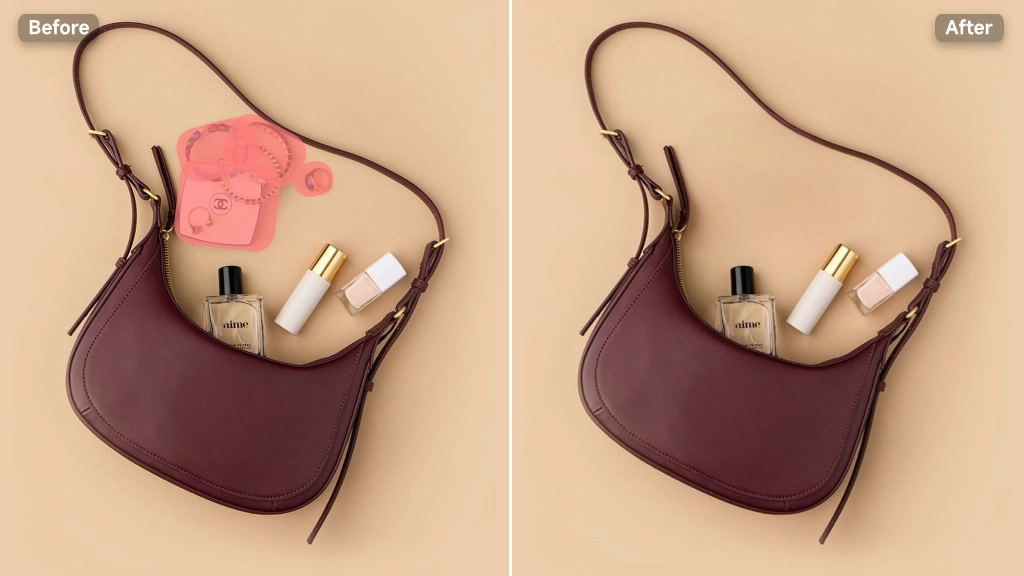
Cleanup pictures online instantly. Remove objects, people, or text for flawless UGC and e-commerce product photos. Get 100% natural results with no AI blur.
Try Cleanup Pictures Free
Cleanup Pictures is an AI-powered photo editing tool that erases unwanted objects, people, text, logos, or blemishes from any image and rebuilds the background underneath. Instead of leaving a blurry patch or an empty hole, the AI studies the surrounding shadows, textures, and lighting to fill the area naturally, so the fix blends in rather than standing out. Upload a photo, brush over what you want gone, and Cleanup Pictures handles the rest, no Photoshop skills, no clone stamp tool, no manual layering required.
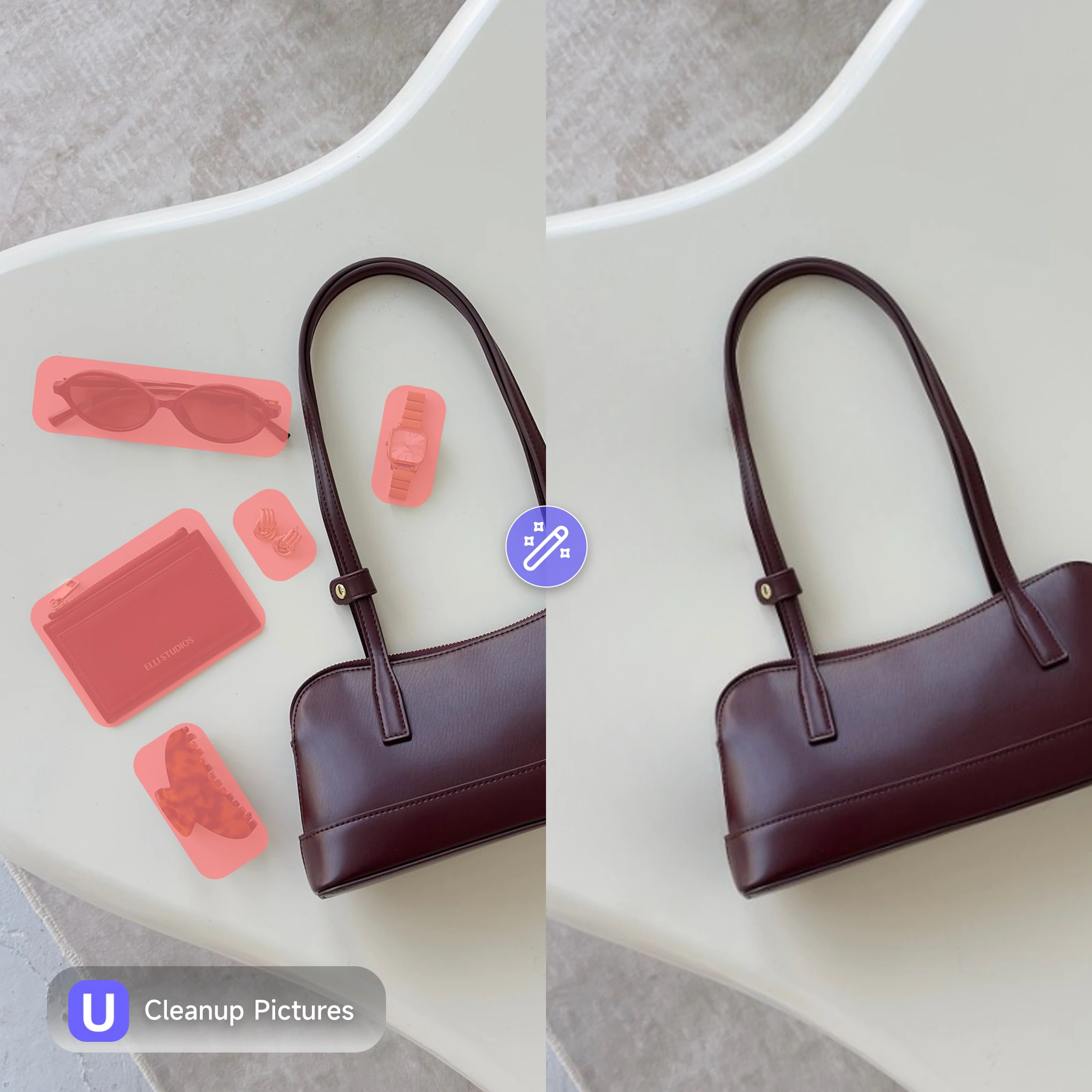
Most photo editors ask you to choose between speed and quality, a quick fix that looks patchy, or a slow manual edit that takes real skill. Cleanup Pictures skips that trade-off entirely. Auto-detect mode finds and removes common objects or text in one click, while brush, rectangle, and lasso tools give precise control over trickier spots like shadows or overlapping edges. For e-commerce sellers prepping product shots, content creators clearing distractions from a UGC clip, or anyone tired of tourists ruining a great photo, Cleanup Pictures turns a frustrating cleanup into a few-second task.
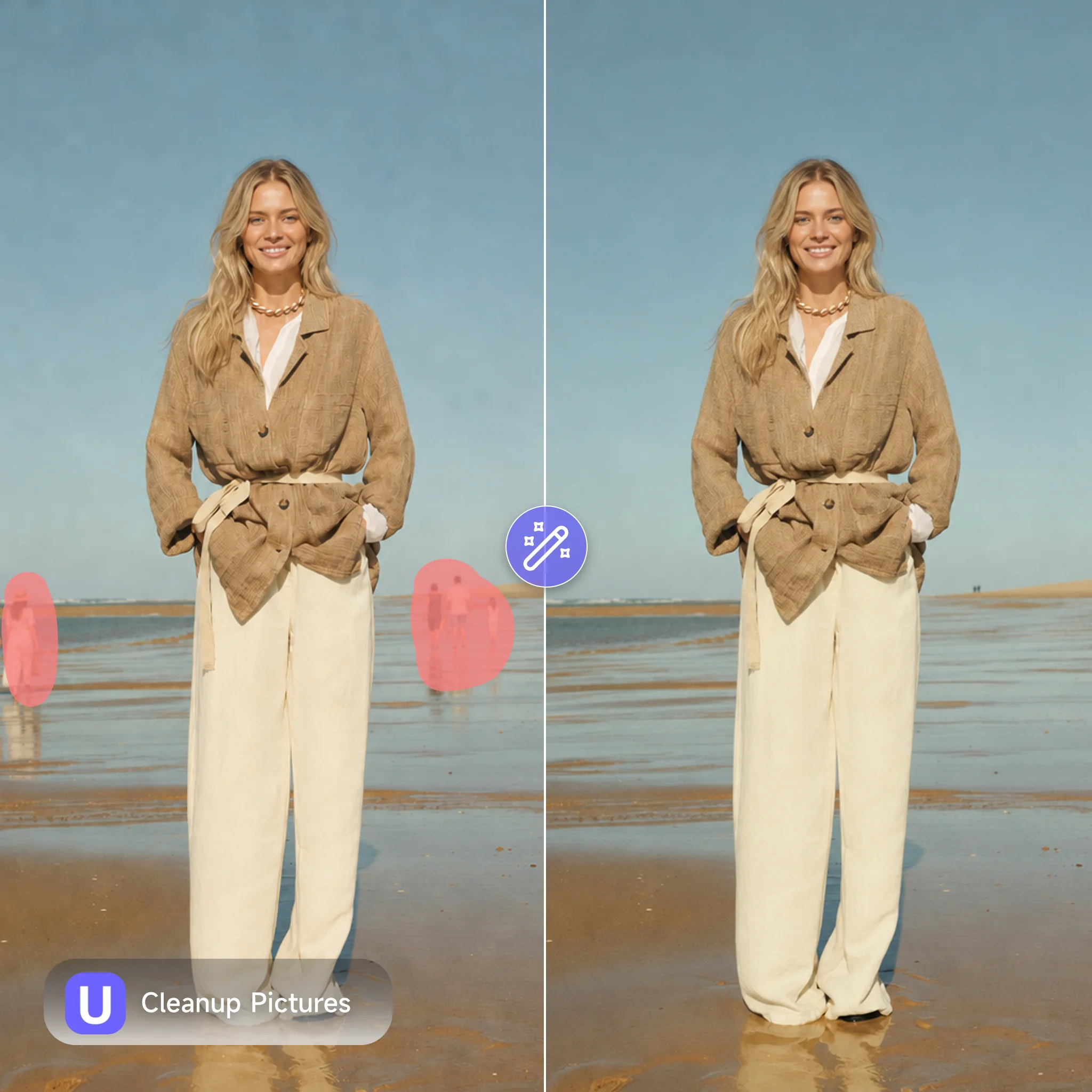
You finally got the shot, great light, the right angle, the product looks perfect. Then you notice it: a stray cable in the corner, a stranger walking through the background, a watermark left over from a stock photo. Cropping cuts off too much. Blurring looks worse than the problem itself. Opening Photoshop for a five-second fix feels like overkill, especially when you've got a dozen more photos waiting. Cleanup Pictures was built for exactly this moment, brush over the object, wait a few seconds, and it's gone like it was never there.
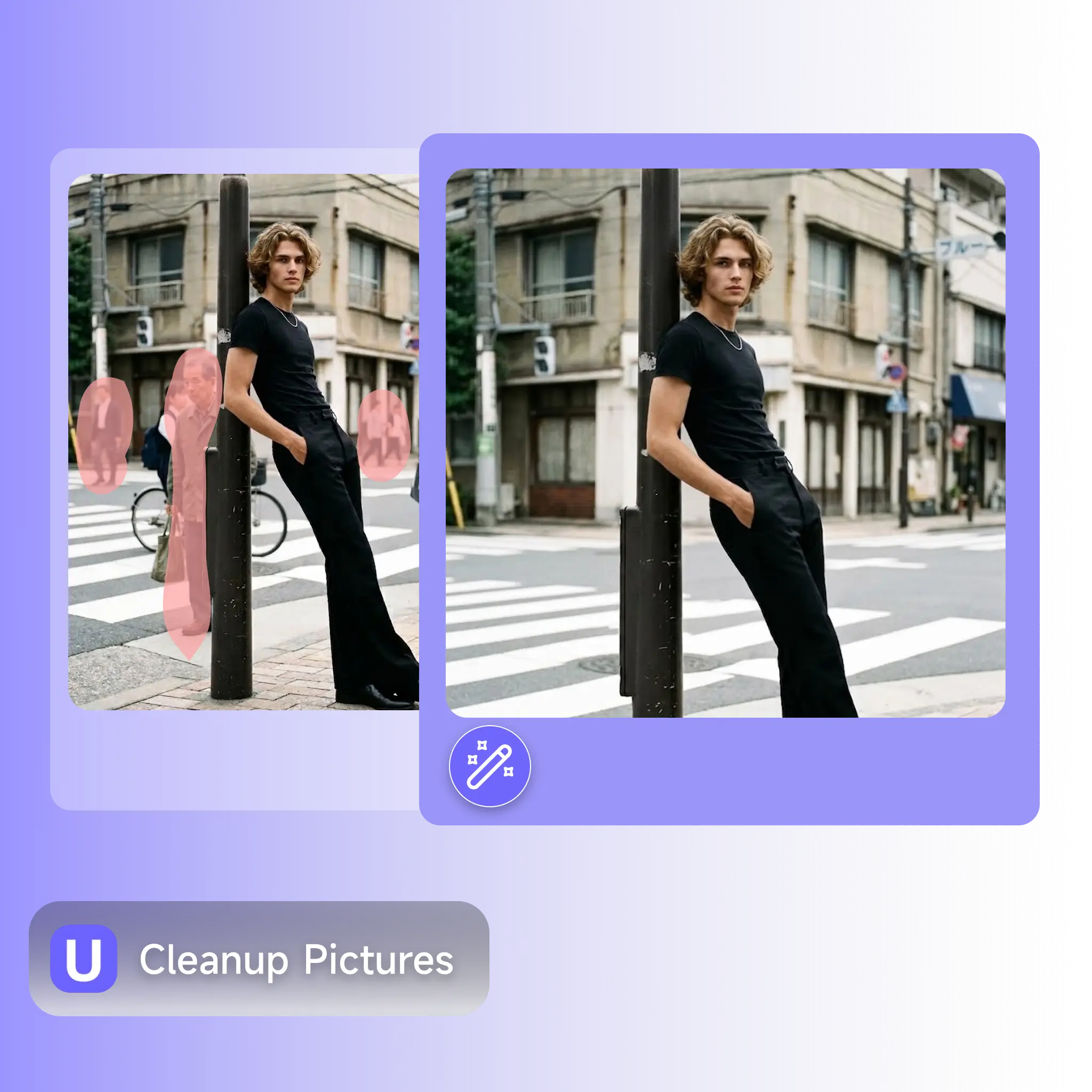
From a single product photo to a full batch of UGC content, Cleanup Pictures gives sellers, creators, and casual editors a fast way to erase distractions without leaving a trace.
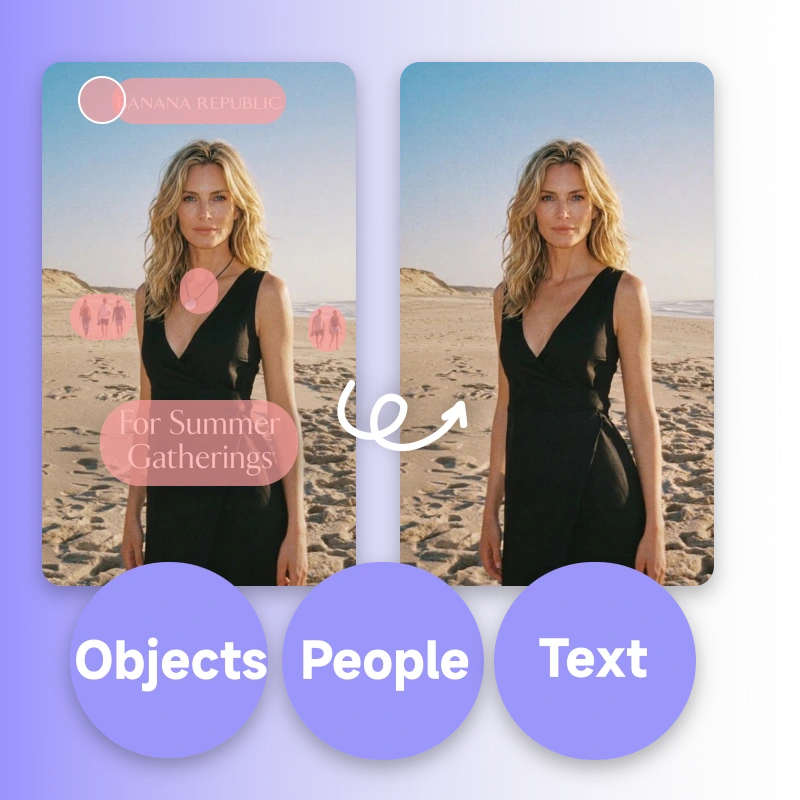
Most cleanup apps split features across separate tools, one for watermarks, another for people, a third for skin retouching. Cleanup Pictures handles all of it in a single workspace, so you never have to switch apps mid-edit.
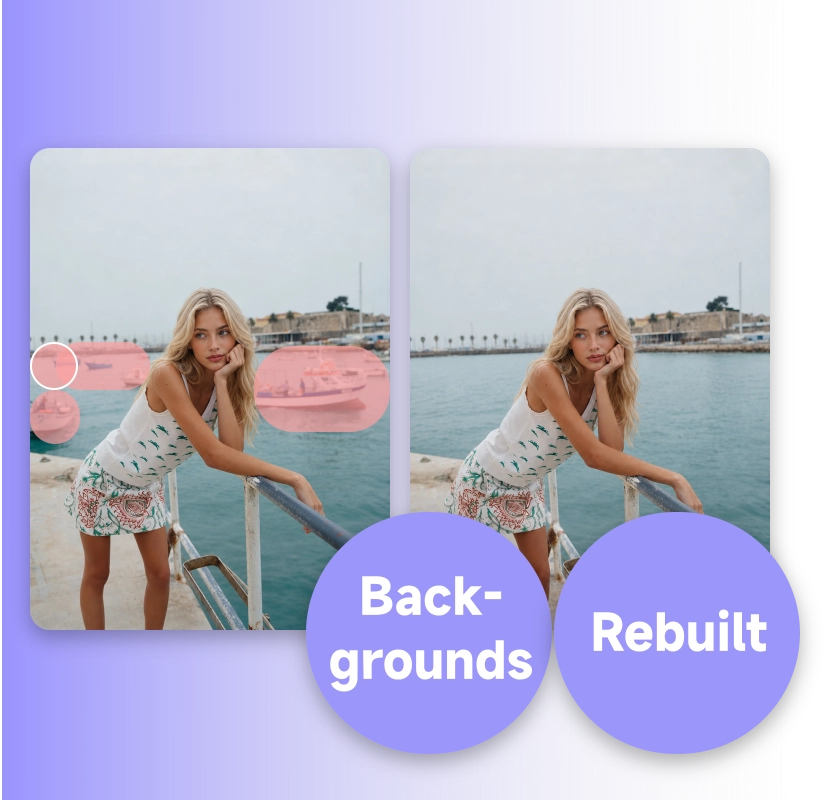
Instead of smudging the area you erase, the AI reconstructs what should logically be there, matching shadows, reflections, and texture from the surrounding pixels. The result looks shot that way, not edited after the fact.
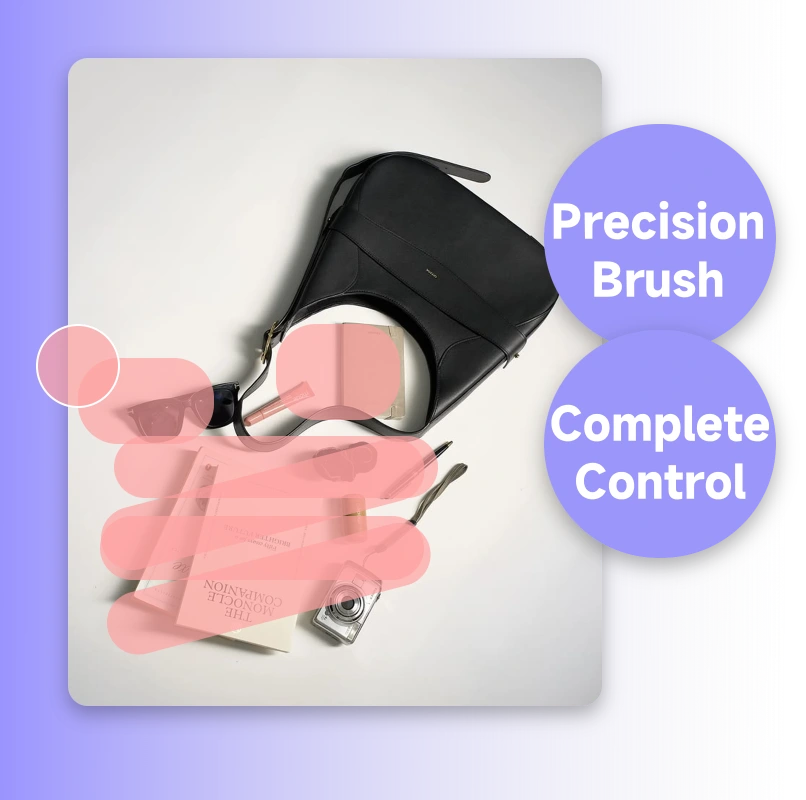
With Cleanup Pictures, simply paint over unwanted objects or text with our intuitive brush tool to seamlessly clear them away. Perfect for touching up tricky edges and fine details, ensuring you stay in absolute control of the result.
No editing software, no learning curve, no waiting around. Upload your photo, mark what needs to go, and Cleanup Pictures delivers a clean result in a few clicks.

Drag in any image, a product shot, a portrait, a screenshot, in JPG, PNG, or WebP format. Cleanup Pictures accepts high-resolution files, so professional photography and detailed commerce images work fine.

Use auto-detect to find common objects or text automatically, or brush, draw a rectangle, or trace a lasso around anything else, an extra person, a logo, a blemish. Cover the full area, including its shadow, for the cleanest result.
Click remove. Cleanup Pictures rebuilds the background in seconds, with no watermark and no resolution cut on export. Not quite right? Brush again and regenerate until the photo looks exactly how you want.
Stop letting a stray object or a leftover watermark ruin a good photo. Cleanup Pictures removes what doesn't belong and rebuilds the background naturally, free to try, no editing experience required.
Try Cleanup Pictures FreeRachel Kim
E-commerce Photographer
"I shoot product photos for our Shopify store all day. Cleanup Pictures removes stray cables and dust spots in seconds, what used to take me 10 minutes per photo in Photoshop now takes less than 30 seconds."

Owen Bryant
Social Media Matrix Operator
"We run a UGC content matrix across 9 TikTok accounts. Cleanup Pictures is part of our daily workflow now, every clip gets a quick pass to remove background clutter before it goes out. Quality holds up even on close-up shots."

Lucía Fernández
Freelance Product Photographer
"I tested three different cleanup tools before this one. The others left a blurry smudge where the object used to be. Cleanup Pictures actually rebuilds the background, shadows and texture included. That difference is obvious in the final image."

Marcus Webb
Real Estate Agent
"As a real estate agent, I need listing photos free of personal clutter fast. Cleanup Pictures removes furniture, cables, and stray items from a room in under a minute, no Photoshop subscription needed anymore."

Hana Suzuki
Independent Skincare Brand Owner
"I run a small skincare brand and need clean product shots weekly. Cleanup Pictures handles watermark removal and blemish touch-ups in the same tool, I stopped paying for two separate apps."

Daniel Osei
Travel Content Creator
"My travel photos always had a stranger walking through the frame. Cleanup Pictures removed five people from one beach photo in under a minute, and you genuinely can't tell anyone was ever there."