
Want to make avatar from photo online free without downloading software, hiring a designer, or spending a dime? You're not alone. In 2026, AI avatar generators have gotten shockingly good — the kind of good where your mom can't tell the difference between your real selfie and the AI version.
Whether you need a fresh profile picture for social media, a stylized gaming avatar, or — here's where things get interesting — a talking avatar that can star in your TikTok ads and product demos, there's a free tool for that. Seriously.
Below you will find 10 best avatar maker tools. This guide covers what each tool does well, what it doesn't, how much the free tier actually gives you, and — because most "best tools" lists conveniently skip this — which ones can turn your avatar into a video that actually does something for your business.
Let's get into it.
Why Create an Avatar From Your Photo
Before we dive into the tools, let's talk about why anyone would want to make avatar from photo online free in the first place. The use cases have exploded in the last two years.
On the personal side: social media rebranding, Discord and Twitch personas, virtual dating profiles, gaming avatars that actually look like you, and just plain curiosity — "what would I look like as an anime character?" is a surprisingly popular question.
On the business side: this is where things get genuinely interesting. Brands and marketers are using AI avatars for UGC-style ads, product demos, Shopify store videos, and scalable content creation. A talking avatar doesn't need a film crew. It doesn't need reshoots. It doesn't charge $300 per video.
And the data backs this up. According to multiple industry reports, video content featuring a human face drives 38% higher engagement than faceless alternatives. Meanwhile, hiring a real UGC creator costs 150 to 500 per video, with a 3 to 5 day turnaround time. An AI avatar? Pennies. Minutes. Unlimited takes.
So whether you're updating your LinkedIn headshot or building a video ad library for your ecommerce brand, the ability to make avatar from photo online free is no longer a novelty — it's genuinely useful.
What to Look for in an AI Avatar Maker
Not all avatar generators are created equal. Before you upload your selfie to the first tool that shows up on Google, here are the four things that actually matter when you want to make avatar from photo online free:
1. Realism and Image Quality
Some tools produce avatars that look like budget video game NPCs from 2007. Others are nearly photorealistic. If you're using the avatar for anything professional — a LinkedIn profile, a brand spokesperson, a video ad — realism matters. A lot. Look for tools that preserve facial structure, skin texture, and natural lighting rather than applying a generic "AI filter" that makes everyone look the same.
2. Customization Options
The best avatar makers let you tweak hairstyles, clothing, backgrounds, and facial expressions. A one-click generator is fast, but if you can't adjust anything afterward, you're stuck with whatever the AI decides. For business use cases, customization is the difference between an avatar that looks like you and an avatar that looks like a random person the AI made up.
3. Talking and Video Capabilities
This is the big one — and the thing most "best tools" lists completely ignore. A static avatar is a profile picture. A talking avatar is a marketing asset. Can the tool turn your photo into a video avatar with lip-sync, gestures, and voice? If you want to create UGC ads, product demos, or social media content, this capability separates the toys from the tools.
4. Free Tier Reality Check
"Free" means different things to different tools. Some give you 50 avatars with a small watermark. Others give you 3 low-res images and call it a day. A few genuinely let you create and export usable avatars without paying. We'll call out exactly what each free tier delivers so there are no surprises.
10 Useful Tools to Make Avatar From Photo Online Free
Here they are — ranked by use case, not by how much the tool paid for placement. We tested each one with the same selfie so the comparisons are real
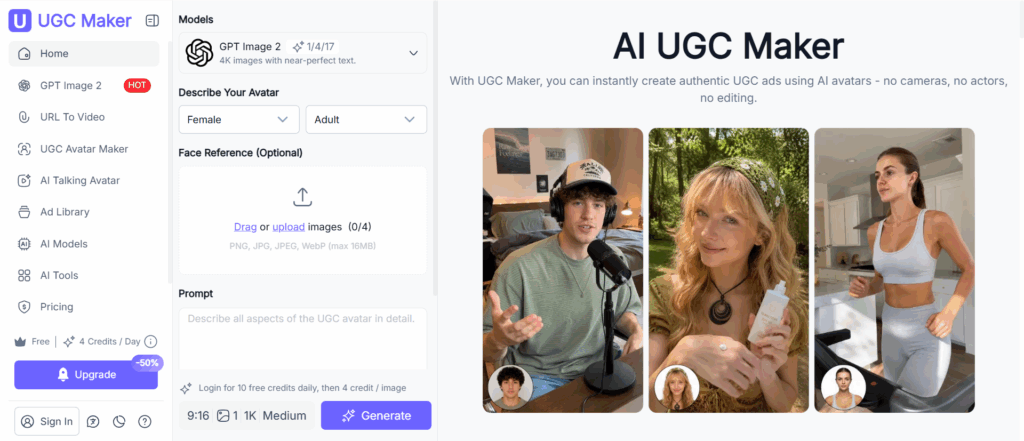
1. UGC Maker — Best for AI UGC Video Avatars That Actually Sell
If you're a brand, marketer, or ecommerce seller, a profile picture doesn't make you money. A talking avatar that delivers your product pitch, demonstrates your product on camera, and exports directly as a ready-to-run TikTok or Meta ad — that does.
That's what UGC Maker is built for. Not just turning your photo into an avatar. Turning your avatar into a complete UGC video ad — with a script, a voice, product handling, and export formats optimized for every social platform.
Key Features:
- 1,000+ AI avatars with natural facial expressions, gestures, and on-camera presence
- 800+ voice options across multiple languages and accents
- Product link-to-video—paste your product URL, and the AI auto-generates a product demo
- Built-in UGC ad script library with proven hooks, objections, and CTAs
- Export in 9:16 (TikTok, Reels, Shorts), 1:1 (Meta Ads), and 16:9 (YouTube)
Pricing: Free tier gives you 4 credits a day—no credit card required. Pro plans start at $19/month for unlimited exports with commercial license.
Pros:
- The only tool on this list that generates complete UGC video ads, not just avatars
- No filming, no actors, no editing skills required
- Script library and voice options produce a full ad in under 10 minutes
- Commercial license included — every export is ads-ready
- Free trial with no credit card means zero risk to test
Cons:
- Not a traditional "avatar profile picture" tool — built specifically for video ad creation
- Script customization has a learning curve (mitigated by the template library)
Best for: Ecommerce brands, Shopify stores, DTC marketers, and agencies that need scalable UGC video ads. If your goal is to make avatars that generate revenue — not just likes — this is your tool.
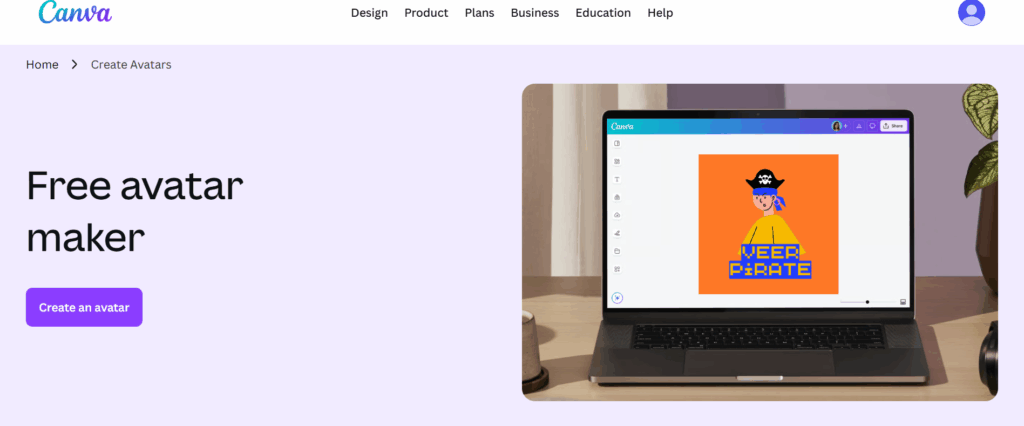
2. Canva AI Avatar Maker — Best for Professional Headshots and Branding
Canva's AI avatar tool lives inside the design platform millions of people already use, which is both its biggest strength and its limitation. If you're already designing social media posts, presentations, or marketing materials in Canva, generating an avatar that drops straight into your project is incredibly convenient.
Key Features:
- Direct integration with Canva's design editor — avatar generates into your project
- One-click export to multiple platform sizes (Instagram, LinkedIn, YouTube, Twitter)
- Magic Edit for post-generation refinements like background changes and lighting adjustments
- Brand kit integration for consistent colors and styles
Pricing: Canva Free includes limited avatar generations. Canva Pro at $12.99/month (or free trial) unlocks unlimited generations, background remover, and Magic Edit.
Pros:
- Seamless workflow if you're already a Canva user — no exporting and re-uploading
- The design ecosystem makes it easy to build branded assets around your avatar
- Professional headshot quality rivals dedicated headshot tools
Cons:
- Avatar styles are more limited than Fotor or Picsart — fewer artistic options
- Requires Canva familiarity; if you don't use Canva, the ecosystem advantage disappears
- No video or talking avatar features
Best for: Canva users who want avatar + design in a single workflow. Solid for professional branding, not for creative or video use cases.
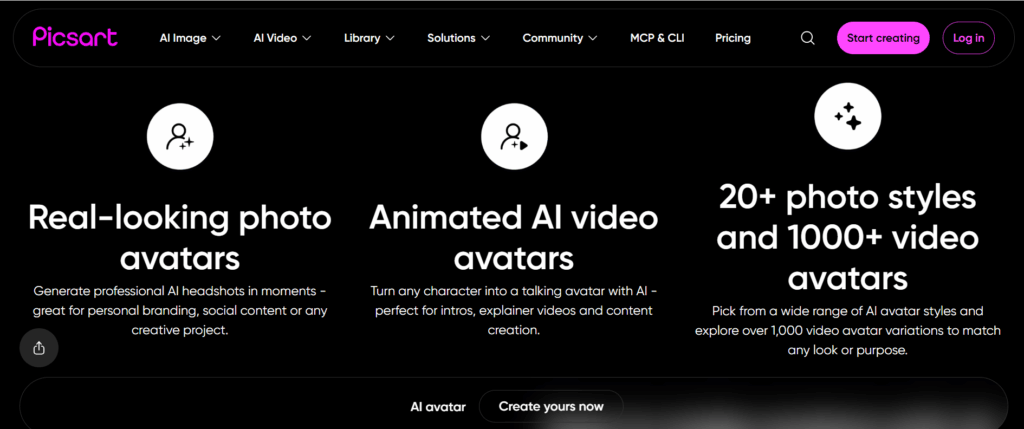
3. Picsart AI Avatar — Best for Creative and Artistic Avatars
If Fotor is for professional headshots and Canva is for branding, Picsart is where you go when you want your avatar to look like something people actually stop scrolling to look at. The style variety is unmatched — oil painting, cyberpunk, 3D cartoon, vaporwave, Renaissance portrait, and about 30 more.
Key Features:
- 30+ avatar styles spanning anime, digital art, oil painting, pop art, and hyper-stylized looks
- Full photo editing suite for post-generation customization
- Community templates and remix functionality
- AI Enhance for improving low-quality source photos before avatar generation
Pricing: Picsart free tier includes basic avatar styles with watermark. Gold subscription at $13/month removes watermarks and unlocks all styles plus the full editing suite.
Pros:
- Widest variety of artistic styles — no other tool comes close for creative diversity
- The editing suite is genuinely powerful for refining results
- Community remix feature is fun and unique
Cons:
- Overwhelming for someone who just wants a simple profile picture
- Free tier is heavily restricted — expect to hit paywalls quickly
- No video avatar features
Best for: Creatives, content creators, and anyone who wants an avatar with personality. Not the right tool if you need speed and simplicity.
4. ZMO.AI — Best for Ecommerce Product Photography
ZMO.AI (also known through its Remover.app brand) takes a different approach: instead of just turning your face into avatars, it generates AI models wearing or using your products. This is a specialized ecommerce tool, but if you're a Shopify seller or DTC brand, it solves a very specific problem: product photos without photoshoots.
Key Features:
- AI fashion models that can "wear" your products in generated photos
- Background replacement tailored for product photography
- Multiple model ethnicities, ages, and styles
- Batch generation for product listing images
Pricing: Free tier includes limited generations with watermark. Pro plans start at $9.99/month for watermark-free, commercial-use images.
Pros:
- Unique positioning — no other tool on this list generates product + avatar combinations
- Genuinely useful for ecommerce brands that need model photos at scale
- Commercial license included in paid plans
Cons:
- Results vary significantly with product type — works best for fashion and accessories
- Not a general-purpose avatar maker; narrow ecommerce focus
- No video capabilities
Best for: Ecommerce sellers who need model photos for product pages and ads. Overkill for personal avatar creation.
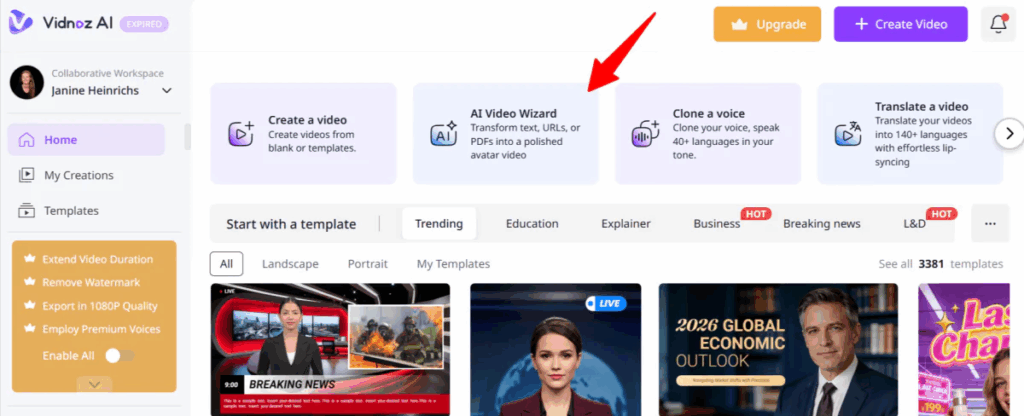
5. Vidnoz AI Talking Avatar — Best for Talking Video Avatars
Finally, a tool that bridges the gap between static avatars and video. Vidnoz lets you upload a photo or select from their avatar library, type or paste a script, pick a voice, and generate a talking avatar video. The lip-sync isn't Pixar-level, but for social media content and simple explainer videos, it's more than good enough.
Key Features:
- Photo-to-talking-avatar generation with AI lip-sync
- 100+ AI voices with adjustable speed and tone
- Script input with multi-language support
- Video export in multiple aspect ratios
Pricing: Free tier includes limited minutes per month with watermark. Paid plans start at $22.49/month for watermark removal and longer videos.
Pros:
- One of the few tools on this list that produces video output, not just static images
- Voice variety and quality are solid — the AI voices sound surprisingly natural
- Multi-language support for international content
Cons:
- Lip-sync quality can be inconsistent with fast speech or complex facial expressions
- Free tier has aggressive limitations on video length
- Avatar customization is limited compared to dedicated avatar tools
Best for: Content creators who need talking avatar videos for social media and explainer content. A good step toward video, but not purpose-built for UGC advertising.
6. Ready Player Me — Best for Gaming and Metaverse Avatars
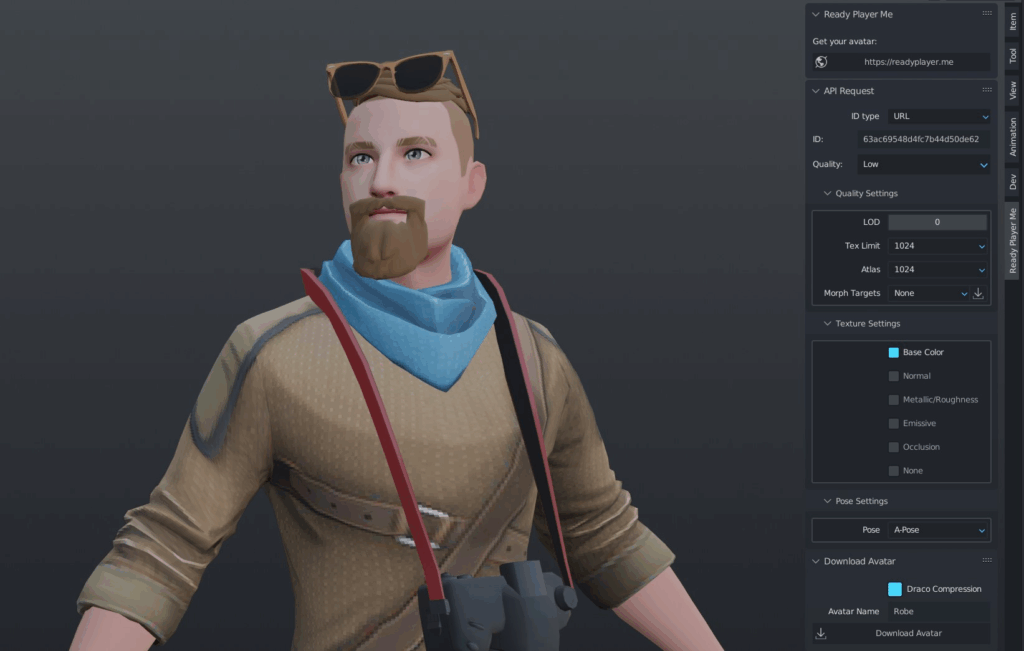
Ready Player Me is the cross-platform avatar standard. Unlike every other tool on this list, your avatar doesn't live in a single app — it travels across 9,000+ compatible games and apps, including VRChat, Spatial, and Mozilla Hubs.
Key Features:
- Cross-platform avatar that works across 9,000+ apps and games
- Selfie-to-avatar generation with accurate facial feature mapping
- Full-body avatar with customizable clothing and accessories
- Unity, Unreal, and Web SDK for developers
Pricing: Completely free for personal use. Developer and enterprise pricing available for commercial integrations.
Pros:
- Truly free — no watermarks, no credit card, no "free trial that auto-converts"
- Cross-platform portability is unmatched
- Developer-friendly with robust SDK
Cons:
- Style is distinctly "game avatar" — not photorealistic
- No video or talking avatar capabilities
- The selfie-to-avatar conversion can miss subtle facial features
Best for: Gamers, VR enthusiasts, and developers building avatar experiences. Not suitable for professional branding or video ads.
7. Media.io AI Avatar Generator — Best for Photorealistic Avatars
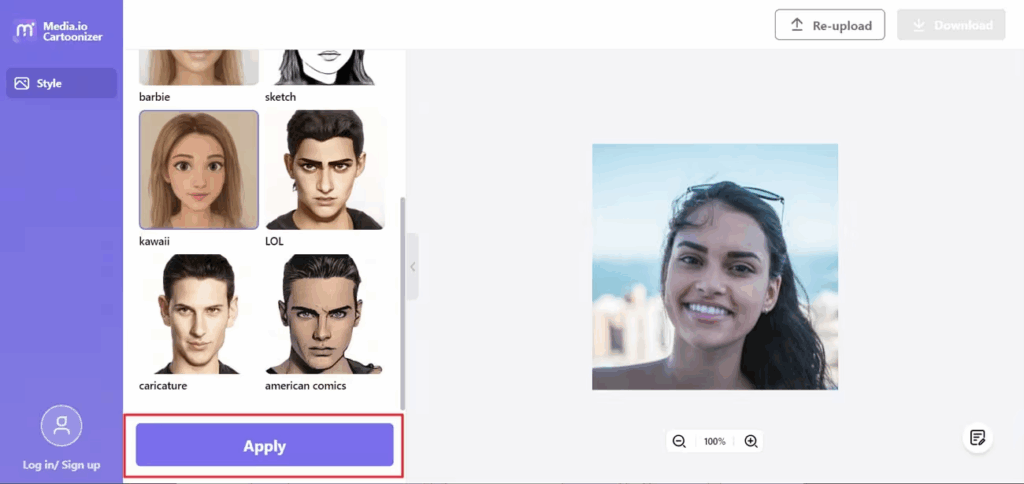
If realism is your top priority, Media.io is the clear winner. Its AI avatar generator produces results that are frequently indistinguishable from professional headshots — natural skin texture, accurate lighting, and facial proportions that don't drift into uncanny valley territory.
Key Features:
- Best-in-class photorealism with natural skin texture and lighting
- Multiple professional headshot styles suitable for LinkedIn and corporate use
- AI enhancement for low-quality or low-light source photos
- Clean, minimal interface with no learning curve
Pricing: Free tier includes a limited number of generations with export. Premium pricing not publicly listed for all features.
Pros:
- Photorealism is genuinely impressive — best results in our test
- Works well even with average-quality source photos
- Professional headshot quality rivals paid photography
Cons:
- Limited style variety compared to Fotor or Picsart
- No video or animation features
- Premium pricing for full access is not transparent
Best for: Anyone who needs the most realistic avatar possible. Professionals, job seekers, and anyone who values realism over style variety.
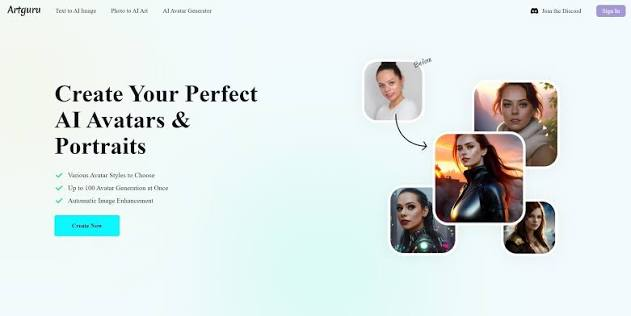
8. ArtGuru AI Avatar — Best for Anime and Fantasy Styles
ArtGuru leans hard into the anime, fantasy, and illustration styles. If you've ever wondered what you'd look like as a Studio Ghibli character or a fantasy RPG hero, this is your tool. It's less versatile than Fotor or Picsart for broad use cases, but within its niche, it's excellent.
Key Features:
- Anime, manga, fantasy, and illustration avatar styles
- Couple and group avatar generation
- Style mixing — combine anime aesthetic with realistic portrait rendering
- Fast generation with no account required for basic use
Pricing: Free tier includes daily generation credits with watermark. Premium plans remove limits and watermarks.
Pros:
- Best anime and fantasy styles in our test — fans of the genre will love it
- Couple and group generation is a unique feature
- Very fast generation time
Cons:
- Niche focus — not useful for professional or business avatars
- Watermarks on free tier are large
- No realistic avatar styles, no video features
Best for: Anime fans, fantasy enthusiasts, and anyone who wants a stylized avatar for social or gaming profiles. Not for professional use.
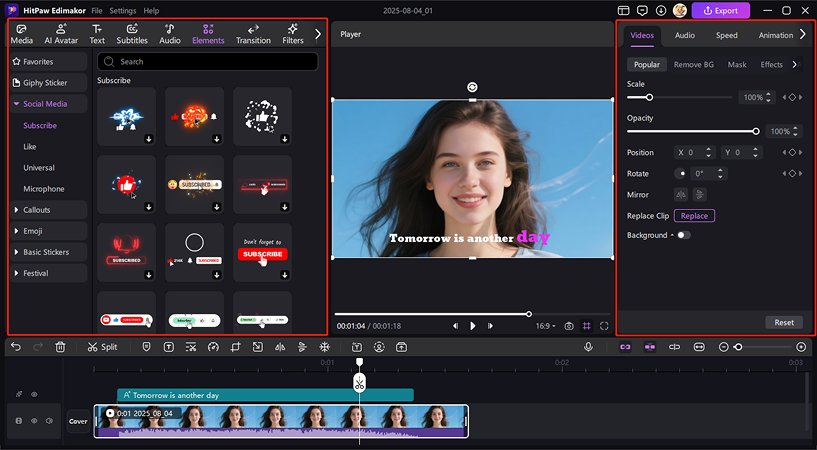
9. HitPaw AI Avatar — Best for One-Click Speed
HitPaw takes the "one click and done" philosophy to its logical extreme. Upload a photo, tap generate, and you have avatars in seconds. The trade-off is customization — you get what you get, with minimal control over style, expression, or output format.
Key Features:
- Fastest one-click generation in our test
- Decent variety of preset styles
- Mobile-first design with excellent iOS and Android apps
- No sign-up required for basic generation
Pricing: Free tier includes limited daily generations with watermark. Premium plan unlocks unlimited use and removes watermarks.
Pros:
- Blazingly fast — genuinely one click from upload to result
- Mobile app experience is the best in our test
- No account required to try
Cons:
- Minimal control over avatar results
- Style quality is inconsistent — some generations look great, others miss badly
- No video features
Best for: Someone who wants an avatar in under 60 seconds and doesn't care about fine-tuning the result. Speed over control.
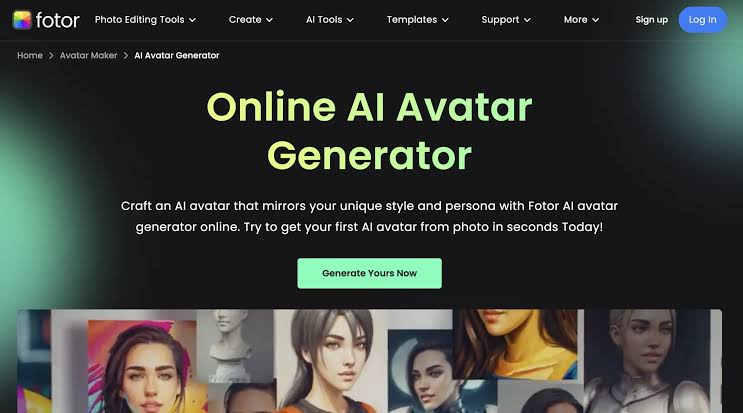
10. Fotor AI Avatar Generator — Best for Social Media Profile Pictures
Fotor's AI avatar generator is the fastest way to make avatar from photo online free if all you want is a polished profile picture. Upload one clear selfie, pick from 20+ styles (professional headshot, artistic portrait, cartoon, vintage), and Fotor spits out 50+ avatar variations in under 30 seconds.
Key Features:
- 20+ avatar styles covering professional, artistic, and casual looks
- Batch generation from a single photo upload
- Built-in photo editor for post-generation touch-ups and background removal
- Web app + iOS + Android
Pricing: Free tier gives you 5 avatar styles with a small watermark. Pro plan at $8.99/month removes watermarks and unlocks all styles plus advanced editing tools.
Pros:
- Fastest generation speed in our test — literally under 30 seconds from upload to results
- Zero learning curve: upload photo → pick style → download
- The professional headshot style is genuinely good enough for LinkedIn
Cons:
- No talking or video avatar capability — strictly static images
- Free tier watermarks are prominent and can't be cropped out cleanly
- Avatar styles can feel repetitive if you generate multiple batches from the same photo
Best for: Anyone who needs a quick profile picture upgrade without touching Photoshop. Not suitable for video or ad creation.
Quick Comparison: All 10 Avatar Makers at a Glance
Here's everything in one table so you can scan, compare, and decide:
| Tool | Free Tier | Realistic | Best For |
| UGC Maker | ✅ Full trial | ⭐⭐⭐⭐ | UGC ads & marketing |
| Fotor | ✅ Limited | ⭐⭐⭐⭐ | Social profile pictures |
| Canva | ✅ Limited | ⭐⭐⭐ | Professional branding |
| Picsart | ✅ Limited | ⭐⭐⭐ | Creative & artistic styles |
| ZMO.AI | ✅ Limited | ⭐⭐⭐⭐ | Ecommerce product photos |
| Vidnoz | ✅ Limited | ⭐⭐⭐ | Talking explainer videos |
| Ready Player Me | ✅ Full | ⭐⭐⭐ | Gaming & metaverse |
| Media.io | ✅ Limited | ⭐⭐⭐⭐⭐ | Photorealistic headshots |
| ArtGuru | ✅ Limited | ⭐⭐ | Anime & fantasy styles |
| HitPaw | ✅ Limited | ⭐⭐⭐ | One-click speed |
How to Create an AI Avatar From Photo (Step-by-Step Tutorial)
Want to walk through the actual process? Here's how to make avatar from photo online free using UGC Maker as an example — the steps are similar across most tools on this list.
Step 1: Pick your tool and create a free account
Head to UGC Maker and sign up with an email address.
Step 2: Choose Your Avatar or Upload a Photo
Start by browsing through a library of over 1,000 AI avatars or upload your own photo to create a personalized character. Adjust facial details, outfits, and emotions to match your desired video style. This matters more than you think. Use a well-lit, front-facing photo with your face clearly visible. Avoid group photos, sunglasses, heavy shadows, and busy backgrounds. Head-and-shoulders framing works best.
Step 3: Select your avatar style
Most tools present a grid of avatar style options — professional headshot, region feature, model generation and so on. Pick the style that matches your use case.
Step 4: Let the AI work its magic
Hit generate and wait. It may process your photo in 10 to 60 seconds. You'll typically get a batch of 20 to 50 avatar variations in your chosen style.
Step 5: Download your favorites
Browse through the generated avatars and download the ones you like. Pay attention to two things at this stage: whether the avatar has a watermark, and what resolution it exports at. Most free tiers limit both.
Step 6 (Bonus): Turn your avatar into a talking video
If you want to go beyond a static profile picture, take your newly generated avatar and import it into AI Talking Avatar Generator. Add a script, pick a voice, and export a video with your AI avatar speaking. This is where a simple profile picture becomes a marketing asset.
Final Verdict: Which Avatar Maker Should You Choose
So, which tool should you use to make avatar from photo online free? Let's make this simple.
If you need a cool profile picture and nothing else: go with Fotor. It's fast, free to start, and the styles cover everything from professional to playful. You'll have a new avatar in under a minute.
If photorealism is your only priority: Media.io produced the most consistently impressive results in our test. The avatars look like they were taken by a professional photographer — not generated by an algorithm.
If you're building a gaming or VR identity: Ready Player Me is the only choice. Cross-platform compatibility across 9,000+ apps is something no other tool offers.
If you need an avatar that actually works for your business — talking, selling, running ads, generating revenue: UGC Maker is the only tool on this list purpose-built for that outcome. It doesn't just create a profile picture. It creates a complete UGC video ad, ready to upload and run. And with a free trial that requires no credit card, there's zero reason not to test it.
The tools to make avatar from photo online free have never been better or more accessible. What you do with that avatar — keep it as a static image, or turn it into a revenue-generating marketing asset — is entirely up to you.
Frequently Asked Questions
What is the best free AI avatar generator from a photo?
The best free tool depends on what you need. For speed and ease of use to make avatar from photo online free, Fotor is the top pick with its 30-second generation and 20+ styles. For photorealism, Media.io produces near-professional-headshot quality. If you need a talking avatar for UGC ads, UGC Maker is purpose-built for that use case and offers a free trial with no credit card required.
Can I create a realistic avatar from my photo for free?
Yes, absolutely. Tools like Media.io, Fotor, and ZMO.AI all offer free tiers that generate realistic avatars from a single selfie. The catch: most free plans include watermarks, reduced resolution, or limited daily generations. For watermark-free, high-resolution exports, you'll typically need a paid plan — but the free tier is more than enough to test whether a tool meets your quality standards.
How do I make an AI avatar talk?
Upload your generated avatar image to a talking avatar platform like UGC Maker. Type or paste your script into the text box, select an AI voice from the available options, and the tool animates your avatar's mouth and facial expressions to match the audio. Most platforms export as MP4 video, ready to post on social media or embed on your website.
Can AI avatars replace real UGC creators for ads?
For many use cases, yes — and the economics make it hard to argue otherwise. An AI avatar can't fully replicate the raw, unfiltered authenticity of a real person filming in their living room. But for product demos, explainer ads, and scalable creative testing, an AI UGC avatar delivers roughly 90% of the engagement impact at less than 5% of the cost. For brands spending $5,000 a month on creator content, that's not a marginal improvement — it's a business model shift.
What's the difference between an AI avatar and an AI UGC avatar?
A standard AI avatar is typically a static image or a looping talking head. An AI UGC avatar is designed specifically for user-generated-content-style marketing videos — it includes natural product handling gestures, ad-style scripting with hooks and CTAs, and export formats optimized for TikTok (9:16), Meta Ads (1:1), and YouTube (16:9). The difference is like comparing a headshot photo to a TV commercial.
Can I use free AI avatars for commercial purposes?
It depends on the tool. Some explicitly grant commercial rights in their free tier (UGC Maker does — all exports include a commercial license). Others require a paid plan for commercial use — always check the terms before using a free-tier avatar in an ad or on a product page. Getting flagged for a licensing violation is not worth the $12 you saved.
How long does it take to make avatar from photo online free?
Most tools on this list generate avatars in 10 to 60 seconds after uploading your photo. The full process — choosing a tool, uploading, selecting a style, generating, and downloading — takes under 2 minutes. If you're creating a talking video avatar with a script and voice, add another 5 to 10 minutes depending on video length and how much you customize the script.