

TL;DR
- The best AI bikini generator depends on the job: ecommerce teams need garment and model control, while creators need fast style variations.
- Our 2026 shortlist includes UGCMaker, PhotoGPT, OpenArt, BeautyPlus, and Toolaze. Each is selected for a different workflow rather than treated as a universal winner.
- The most useful AI bikini try-on result keeps the person, pose, lighting, garment edges, and background consistent. A visually realistic preview is not a fit or sizing guarantee.
- Use a clear adult image that you own or have permission to edit. Review faces, hands, straps, patterns, shadows, and unchanged areas before publishing.
- For an ecommerce workflow, start with UGCMaker's AI Clothes Changer or Virtual Try On, then use the generated image as a concept or content asset after human review.
An AI bikini generator can mean several different things. Some tools create a swimwear image from a text prompt. Others take an existing portrait and change the visible outfit. A third group is designed as a virtual try-on workflow, where you upload a person photo and a garment reference to preview how a style may look.
Those workflows overlap, but they are not interchangeable. A prompt-only generator may be excellent for a moodboard and poor at preserving a specific person. A photo editor may keep identity stable but offer limited garment control. A virtual try-on tool may be useful for product concepting while still being unsuitable for confirming real-world fit.
This guide compares five tools using the criteria that matter most for practical use: input control, identity consistency, garment and style control, output reviewability, and suitability for creators or ecommerce teams.
How We Compare AI Bikini Generators
Method and scope
- Search intent: US English queries around “ai bikini generator,” “ai bikini try on,” and “virtual bikini try on.”
- Checked: September 22, 2026.
- Evidence: official product pages and published workflow descriptions, plus UGCMaker's own product configuration.
- Ranking type: editorial shortlist by use case, not an independent pixel-level benchmark.
- Hands-on test: not performed; this article does not score pixel-level realism or guarantee a result for every source photo.
- Important limitation: free credits, plan limits, model availability, and safety rules can change. Verify them before publishing a commercial comparison.
The ranking is intentionally use-case based. “Best” means best fit for a defined task, not a promise that one tool produces the most realistic result for every photo.
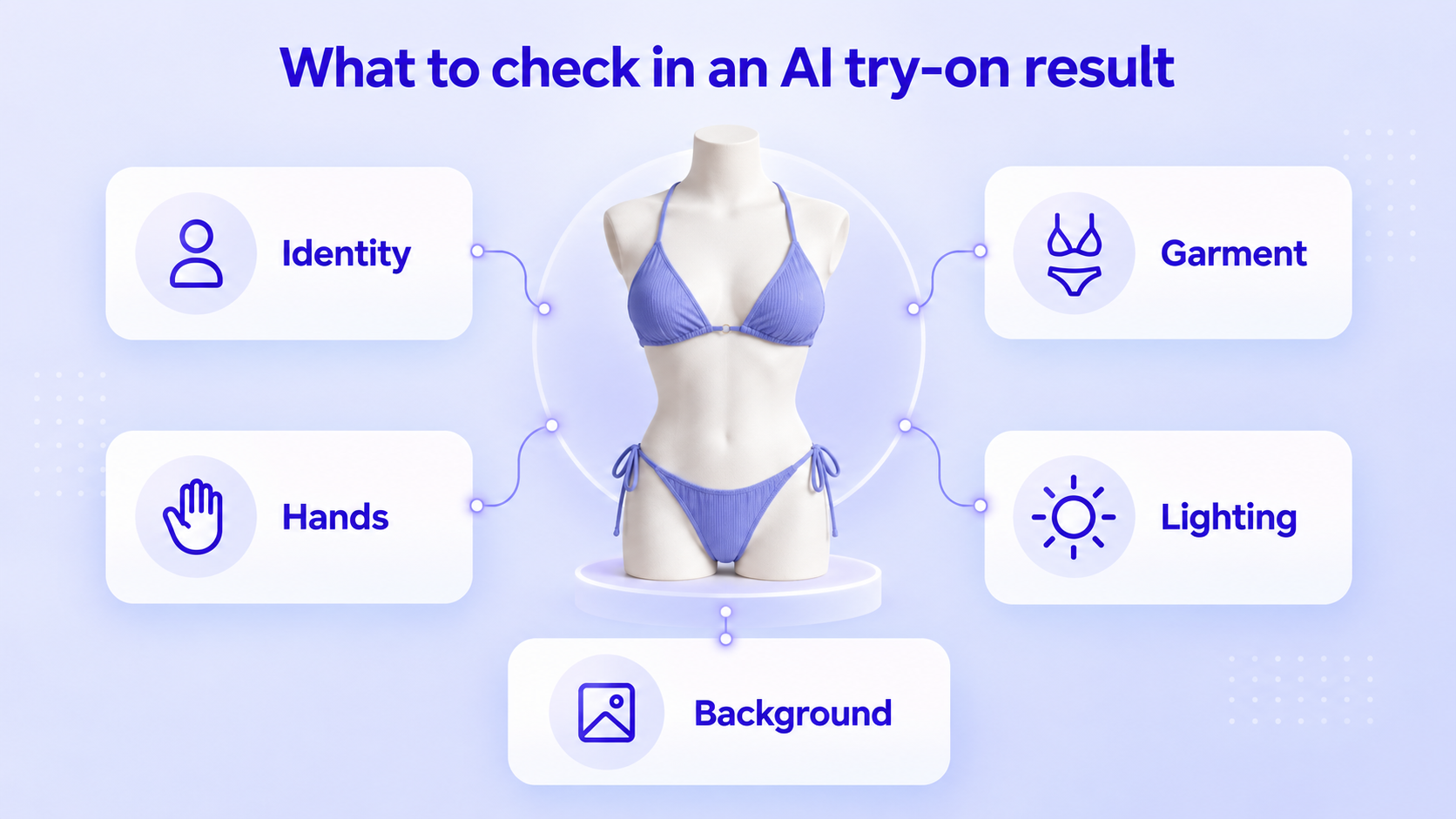
When reviewing any AI bikini try-on, check five areas before you trust the result:
- Identity: Does the face, hair, body outline, and pose still match the source?
- Garment: Are the straps, seams, coverage, pattern, and fabric direction coherent?
- Hands: Do fingers, wrists, and areas near the garment edge remain natural?
- Lighting: Do highlights and shadows agree with the original scene?
- Background: Did the tool change unrelated objects or create distracting artifacts?
5 Best AI Bikini Generators in 2026
| AI bikini generator tool | Best for | Input control | Why it stands out | Check before publishing |
| UGCMaker AI Clothes Changer | Ecommerce outfit workflows | Person photo + preset, garment upload, or custom style prompt | Connects outfit changes to a broader creator and product-content workflow | Review garment edges, body consistency, and your account's content rules |
| PhotoGPT AI Bikini | Creator photos and short-form visuals | Photo or prompt, with style refinement | Supports bikini image creation and can turn a selected result into video | Check identity consistency and commercial-use terms |
| OpenArt AI Bikini Generator | Prompt and lookbook exploration | Text or image input, with style and background controls | Useful for generating variations across swimwear styles and scenes | Check anatomy, garment details, and model consistency between variations |
| BeautyPlus AI Bikini Generator | Fast preset experimentation | Uploaded photo plus preset swimwear styles | Simple one-click flow and a large preset-style gallery | Verify output resolution, watermark, and current usage limits |
| Toolaze AI Bikini Generator | Reference-guided adult swimwear previews | Person photo + bikini reference, or custom prompt | Clear separation between tasteful previews and clothing-removal requests | Review unchanged areas and remember that a preview is not a fit guarantee |
1. UGCMaker AI Clothes Changer — best for ecommerce outfit workflows
UGCMaker's AI Clothes Changer is the most practical choice when the bikini preview is part of a wider product-content workflow. The tool accepts a person image and lets you choose a preset style, upload a garment, or describe custom clothing. That is useful for teams that need more than a single bikini image: the same workflow can support seasonal outfit variants, product concepts, social assets, and ad creative.
For a swimwear preview, use a permitted adult model photo and a clear garment reference or custom description. Keep the requested change limited to the clothing area, and review the result before using it in a listing or paid campaign. The tool's value is workflow control and repeatability; do not treat an AI image as proof of fit, fabric construction, or product measurements.
Best for: Ecommerce teams, UGC creators, and brands that want one clothes-changing workflow for multiple categories.
Watch for: Strap geometry, body-shape drift, hands near the garment edge, and any background changes.
2. PhotoGPT AI Bikini — best for creator photos and short-form visuals
PhotoGPT's AI Bikini Generator is positioned around fast creator content. Its published workflow describes uploading a portrait or starting from a prompt, refining the look, downloading the result, and turning a favorite image into video. That makes it a strong fit when the goal is a social post, a concept for a shoot, or a short-form visual rather than a full catalog pipeline.
The tradeoff is that fast generation can encourage shallow review. Compare the edited image with the original at the same scale, especially around the face, hair, hands, and straps. If the image will be used commercially, confirm the current terms for generated content, privacy, and any free-tier limitations before selecting it for a campaign.
Best for: Creators who need quick bikini photo concepts or a path from still image to short video.
Watch for: Prompt drift, inconsistent identity across variations, and plan or usage terms.
3. OpenArt AI Bikini Generator — best for prompt and lookbook exploration
OpenArt's AI Bikini Generator supports text or image input and is designed for swimwear visuals, AI influencer content, lookbooks, and product concepts. Its official page highlights style, background, lighting, and variation controls, which makes it useful for exploring several creative directions before a real shoot.
OpenArt is a good option when you want to compare silhouettes, colors, settings, and campaign moods. It is less suitable as the only source of truth for a product page if the garment needs exact construction details. Generated variations can change the same model or reinterpret a small design detail, so keep a reference image nearby and review each output.
Best for: Designers, art directors, and creators building moodboards or summer campaign directions.
Watch for: Model consistency, small pattern changes, and differences between a concept render and the actual garment.
4. BeautyPlus AI Bikini Generator — best for fast preset experimentation
BeautyPlus's AI Bikini Generator emphasizes a simple upload-and-generate flow, preset swimwear choices, and quick online previews. Its page also advertises more than 30 swimsuit designs, but preset counts and access can change, so treat that as a current product-page claim rather than a permanent feature.
This type of tool is useful when a creator wants to explore several looks without writing detailed prompts. It can also help with a first-pass social concept. For ecommerce use, inspect the result more carefully: preset convenience does not guarantee that a specific product's straps, logo placement, fabric texture, or fit will be accurate.
Best for: Beginners and creators who want quick preset-based style ideas.
Watch for: Output resolution, watermarks, preset availability, and whether the result changes more than the clothing.
5. Toolaze AI Bikini Generator — best for reference-guided adult swimwear previews
Toolaze's AI Bikini Generator uses a reference-guided flow: upload an adult person photo and a bikini reference, or use a custom mode with a style description. Its product page explicitly frames the result as a visual preview rather than a fit guarantee and calls out checks for body proportions, hands, garment edges, fabric logic, and unchanged areas.
That positioning makes Toolaze useful for early styling decisions and concept checks. It also gives the reader a clear safety boundary: use adult images you own or have permission to edit, and do not use the workflow for minors, explicit edits, clothing removal, impersonation, or unauthorized images.
Best for: Tasteful adult swimwear previews that need a reference image and clear review boundaries.
Watch for: Garment-to-body alignment, edge artifacts, and the difference between visual styling and real-world fit.
How to Create an AI Bikini Try-On in UGCMaker
UGCMaker's relevant workflow is the AI Clothes Changer for replacing an outfit in a person photo and Virtual Try On for placing a garment image on a model. Use the route that matches your input: one person photo plus a custom clothing description, or a model plus a garment reference.
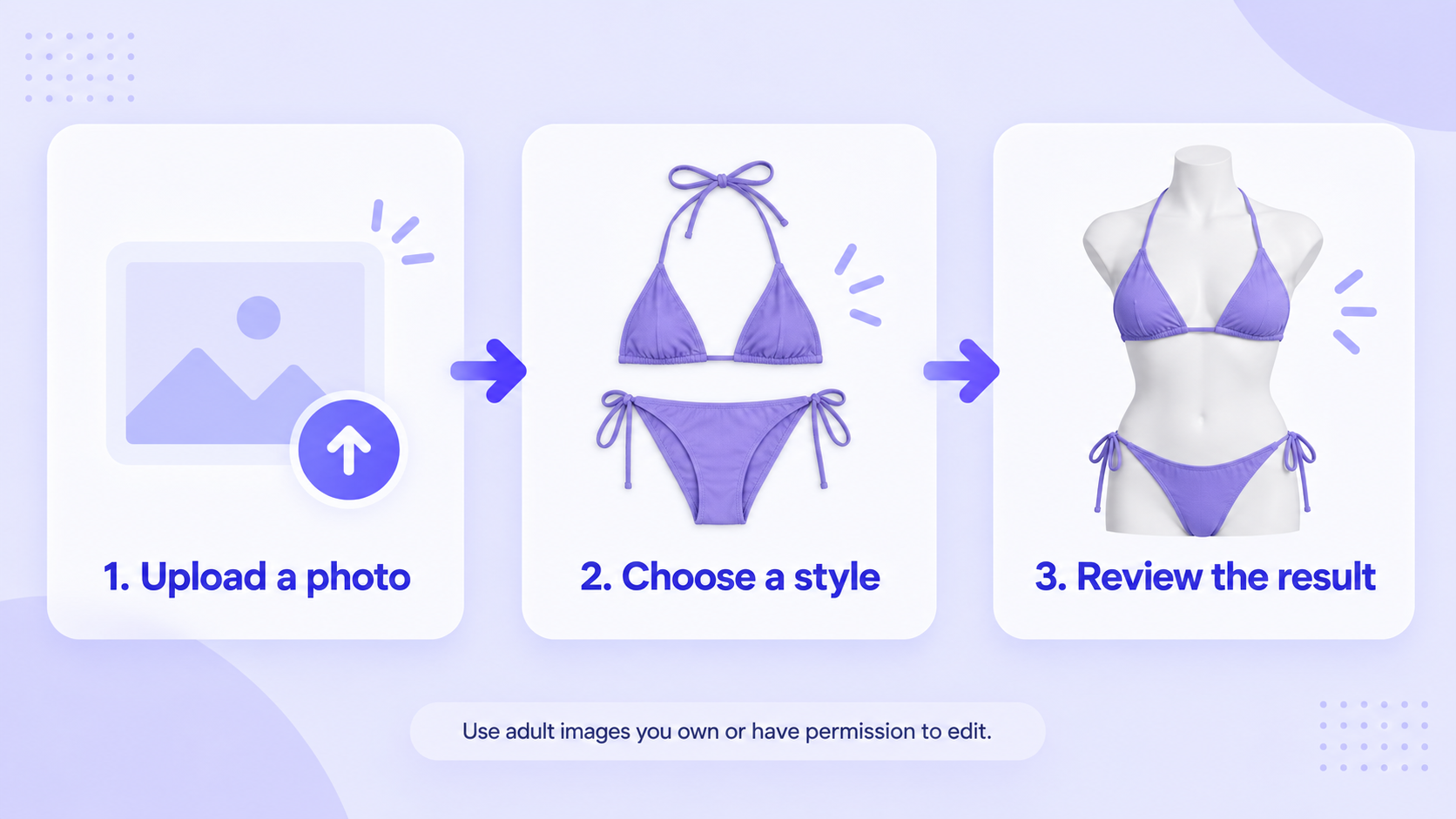
1. Start with a clear, permitted adult image
Use a well-lit portrait or full-body image where the torso, arms, and clothing outline are visible. Avoid heavy motion blur, extreme crops, hands covering the garment area, and photos that you do not have permission to edit. A clean input gives the model fewer ambiguous edges to reconstruct.
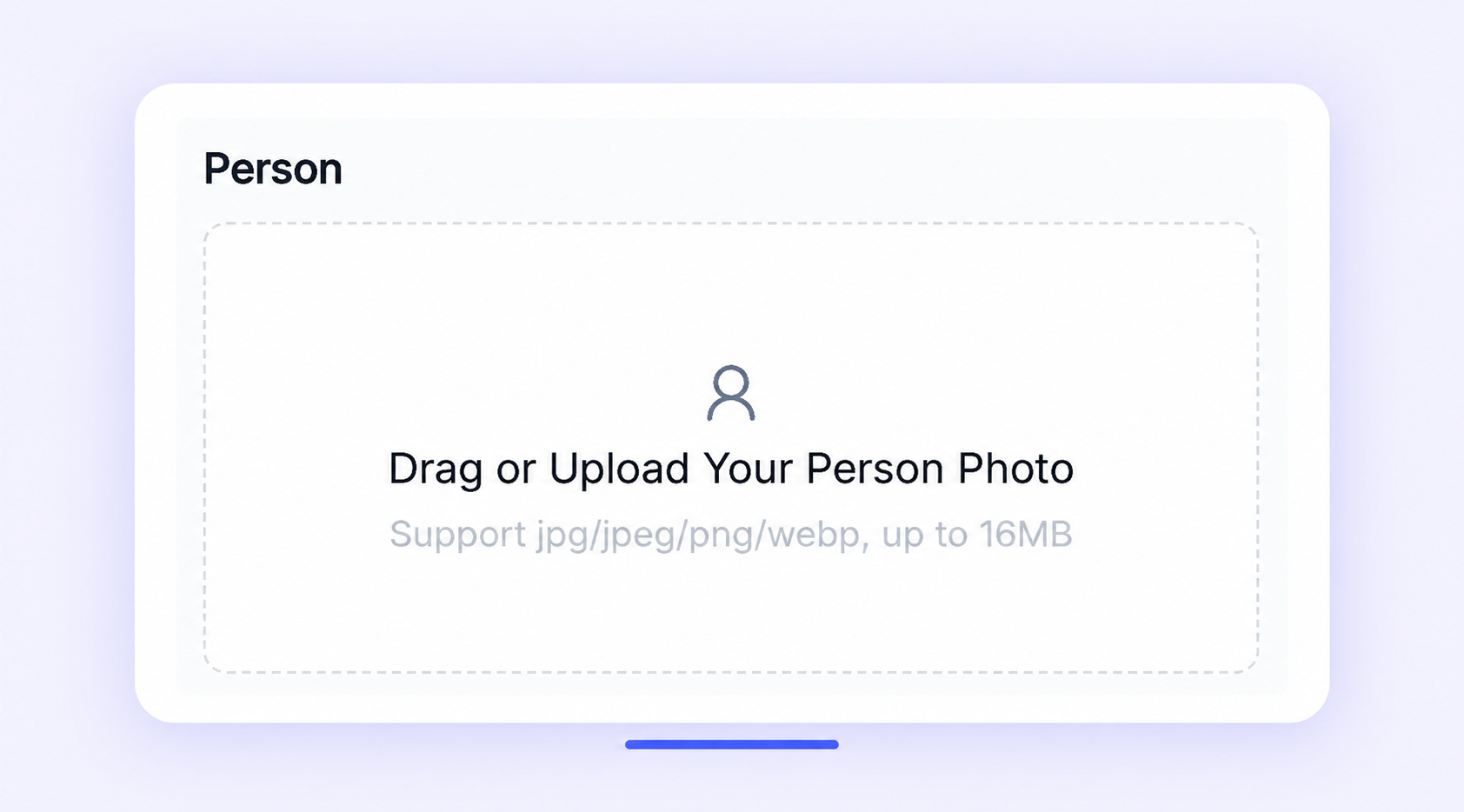
2. Upload the person or model image
Open the AI Clothes Changer or Virtual Try On tool and upload the source image. Keep the original file so you can compare the output later. If you are preparing a product catalog, use a consistent model framing and background across the images in the same collection.
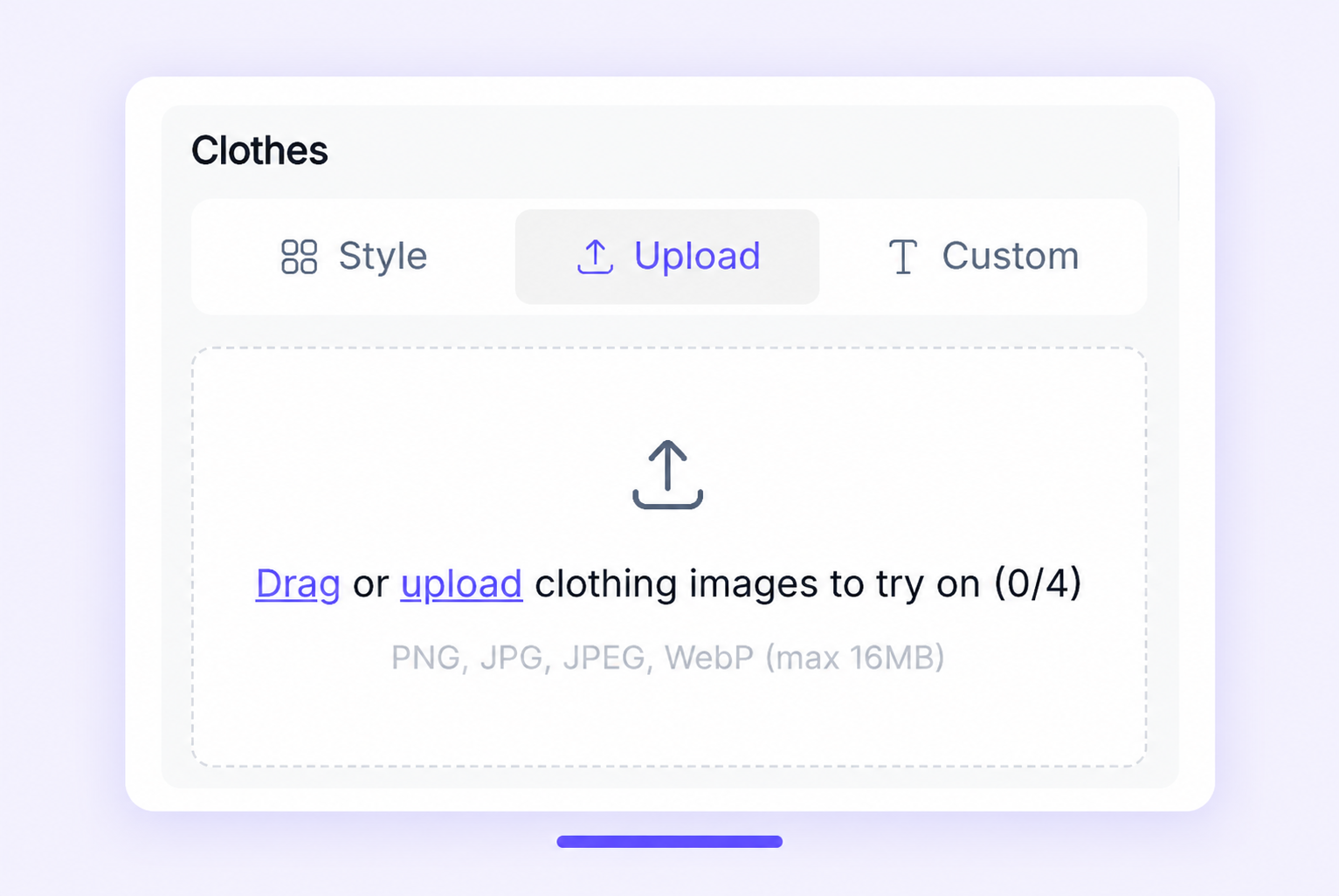
3. Choose a bikini style or upload a garment reference
Select a built-in style, upload a product or flat-lay reference, or use a concise custom description. Include the color, silhouette, coverage, fabric, and any important design detail. Avoid asking the model to change the person's identity, body shape, pose, or background unless that is intentionally part of the creative brief.
4. Generate a first variation
Create one or two variations before producing a larger batch. The first result tells you whether the source image, reference garment, and prompt are compatible. If the output changes unrelated parts of the image, improve the source or simplify the request before generating more.
5. Review the result at full size
Check the face, body outline, hands, straps, seams, fabric texture, shadows, and background. For a product image, compare the reference garment with the output rather than judging only whether the overall color looks right. If the output is for a social concept, you can accept more creative variation; if it is for a product page, require much tighter review.
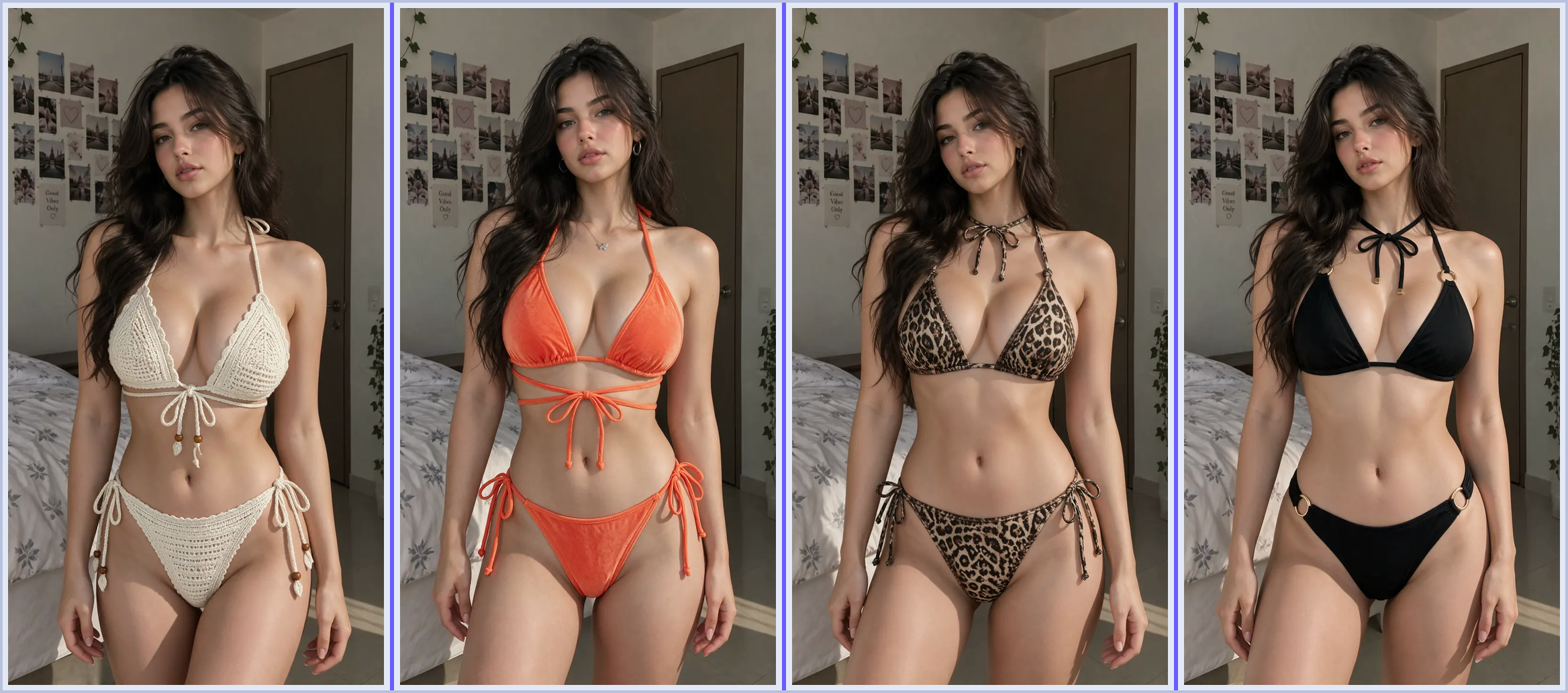
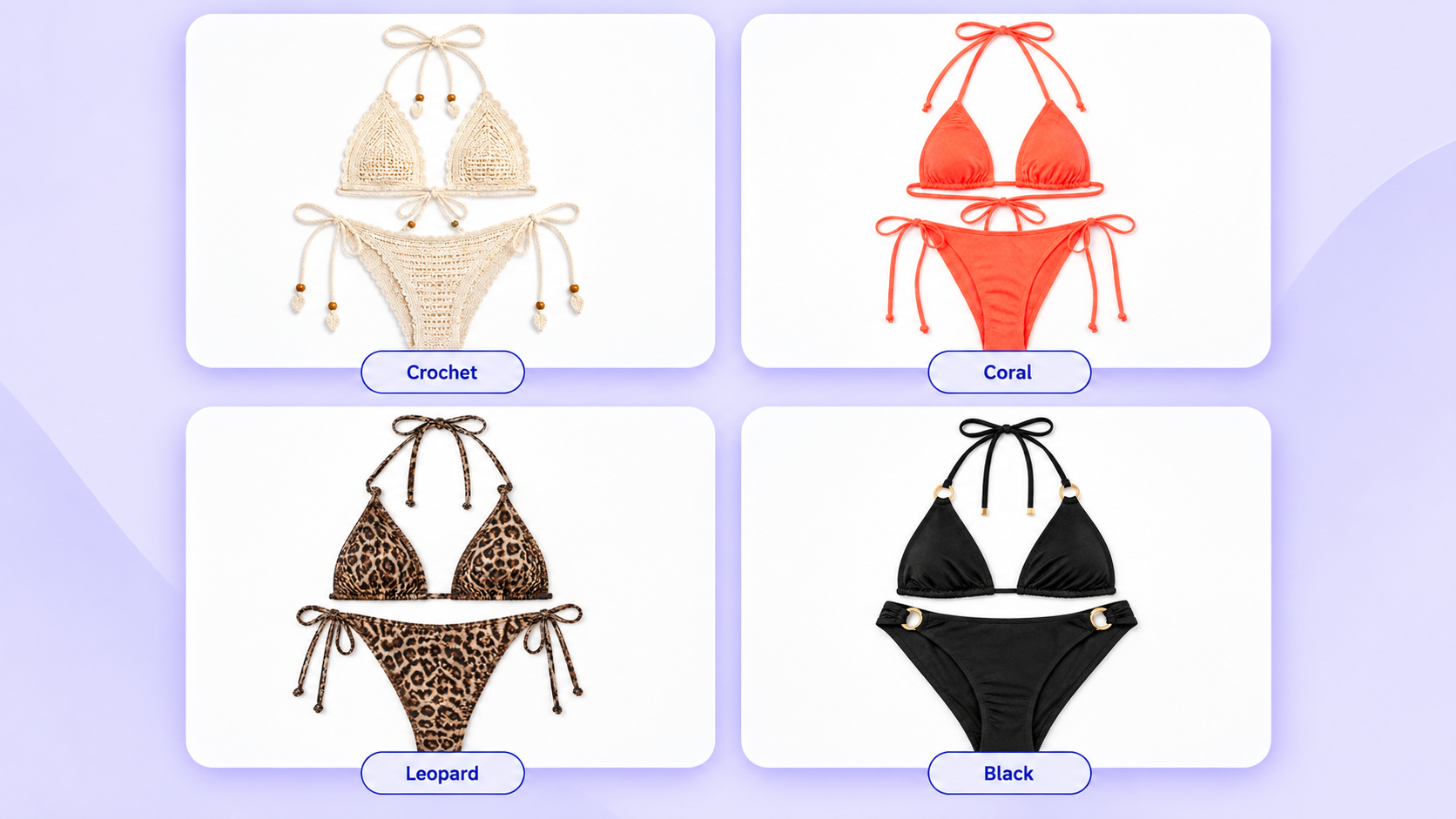
Example outputs from the same model
These four outputs use the same source model with different garment references. They are useful for showing variation, but they should still be reviewed for identity consistency, garment edges, hands, lighting, and background before publication.
6. Export the approved image and keep the source
Keep the original input, the garment reference, the prompt or selected style, and the approved output together. This makes it easier to recreate a consistent look later and to explain which image is a concept preview versus an approved product asset.
What Makes an AI Bikini Generator Useful for Ecommerce?
An AI bikini image can help with early concepting, seasonal moodboards, creator thumbnails, and campaign direction. It is most valuable when it shortens the time between “we have a garment idea” and “we can compare a few visual directions.”
It should not replace a real product sample, a fit review, or a final photoshoot when customers need accurate construction, sizing, support, or fabric behavior. Use the generated image as a visual aid, and label it internally as AI-generated or concept-only when the distinction matters.
For a catalog workflow, consistency is usually more important than a single spectacular result. Use the same source model, framing, lighting direction, and review checklist across colors and styles. That makes it easier to spot when the tool changes a face, hand, pose, or product detail between outputs.
AI Bikini Generator Safety and Consent Checklist
Before generating or publishing a result:
- Use images of adults only, and obtain permission to edit and publish them.
- Do not use the tool to remove clothing, create explicit content, edit minors, impersonate someone, or process images without authorization.
- Check the provider's current privacy, retention, commercial-use, and deletion terms.
- Avoid presenting a generated image as proof of fit, size, body measurement, or final garment construction.
- Review the result for identity drift, accidental exposure, distorted hands, and unintended background changes.
FAQ: AI Bikini Generators and Virtual Try-On
What is an AI bikini generator?
An AI bikini generator creates or edits swimwear imagery from a text prompt, a person photo, a garment reference, or a combination of those inputs. Some tools are designed for concept images, while others focus on virtual try-on previews.
Is an AI bikini generator the same as a virtual bikini try-on tool?
Not always. A generator may create a new model image from a prompt. A virtual try-on tool starts with a person or model and applies a garment while trying to preserve the source identity, pose, and scene.
Can AI keep the person's face and body unchanged?
Some tools are designed to preserve identity and body shape, but no generated result should be assumed perfect. Review the face, body outline, hands, pose, and background before using the image.
Can I use AI bikini images for an ecommerce product page?
They can be useful for concepting, moodboards, and some marketing assets. For a product page, verify that the garment, color, pattern, straps, and fit representation are accurate enough for your brand standards. A virtual preview is not a substitute for product photography or fit validation.
What kind of photo gives the best AI bikini try-on result?
Use a sharp, well-lit adult portrait or full-body image with the torso and arms visible, minimal occlusion, and a simple background. A clear garment reference helps when exact color, silhouette, or fabric details matter.
Are AI-generated swimwear images safe to publish?
Safety depends on the image, the person’s consent, the provider's terms, and the destination platform. Use permitted adult images, avoid explicit or exploitative edits, and review the generated result before sharing or advertising it.
Final Takeaway
The best AI bikini generator is the one that matches your actual workflow: use a prompt-first tool for ideation, a preset editor for fast style exploration, a reference-guided tool for controlled previews, or UGCMaker when the swimwear concept belongs inside a broader ecommerce and outfit-content pipeline.
The practical rule is simple: treat AI bikini try-on as a visual preview, not a fit guarantee. Start with a clear permitted image, keep the garment reference specific, review unchanged areas and garment edges, and only then export the result for its intended use.
If you are ready to test the workflow, start with UGCMaker and try AI Clothes Changer or Virtual Try On with an adult image you own or have permission to edit.