

If you have been using TopView AI to produce short-form video ads and hit a wall, repetitive avatar movements, expiring credits, or a workflow that just was not built for a busy marketing team, you are not alone. Over the past year, thousands of e-commerce brands and agency teams have been actively searching for a TopView AI alternative that can match the speed of AI generation while giving them more creative control, better avatar variety, and a structured production pipeline.
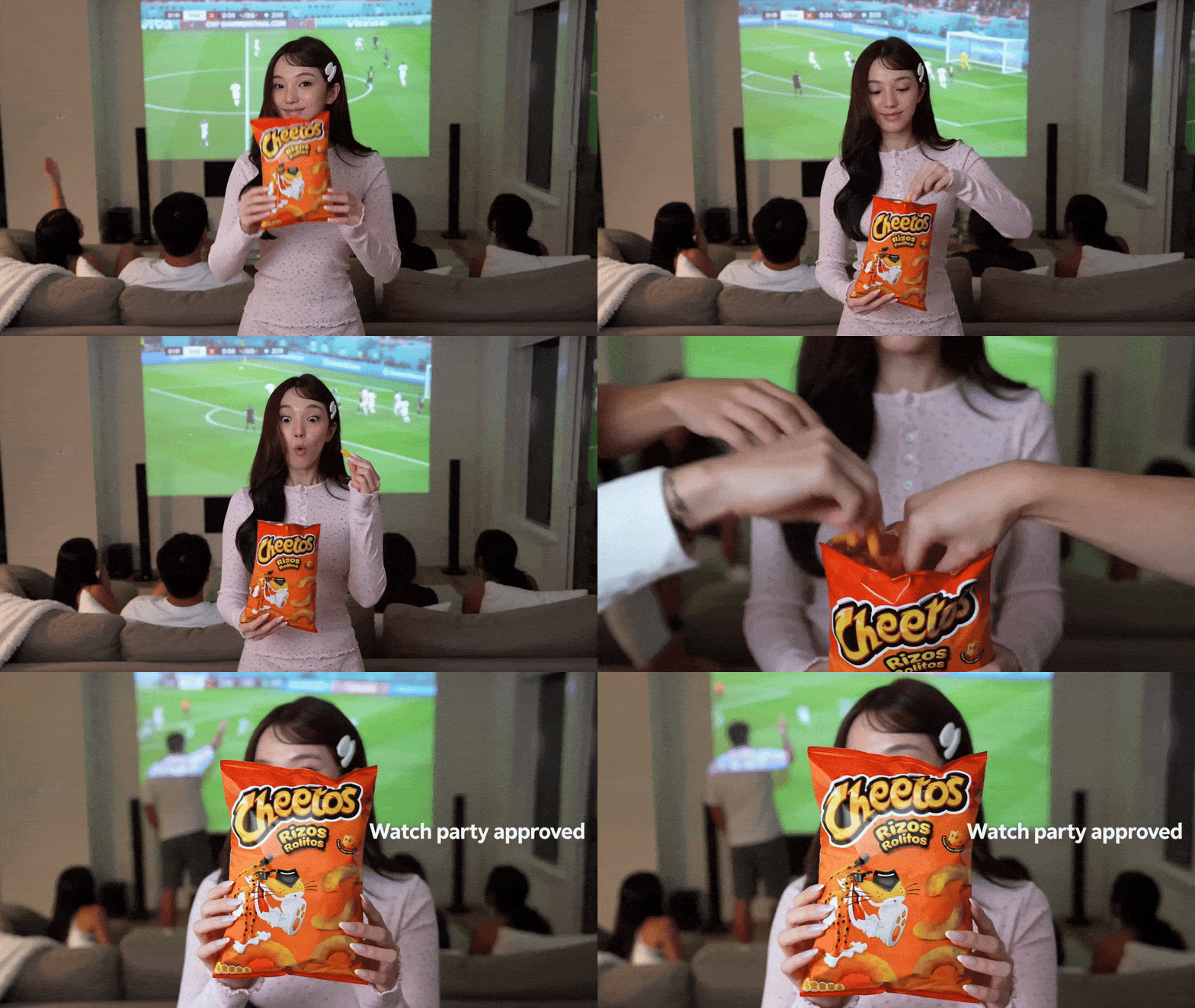
We put both platforms through their paces across real ad campaigns. This guide covers what TopView AI does well, where it falls short, and why UGC Maker has become the go-to alternative for marketing studios that need to produce authentic UGC-style video ads at scale. But first, just take a look at the demo below to see how powerful UGC Maker's video generation really is.
What Is TopView AI?
TopView AI is an AI Video Agent platform designed to turn product images, URLs, and reference videos into marketing content quickly. It became popular with DTC brands and affiliate marketers by removing the need for professional video crews or editing experience.
Its core tools include:
- Viral Video Agent — upload a product image and a reference video; the AI recreates a similar video, capturing the original's pacing and camera angles.
- Product Avatar — select a digital model, upload a product image, and generate a product presentation video without a studio or actor.
- Product AnyShoot — place a product image into a range of lifestyle scenes without any photoshoot.
According to G2 reviewers, TopView AI's biggest strengths are speed and ease of entry. One user noted that what used to take a month of KOL coordination can now be produced in under a week.
Pricing at a glance:
| Plan | Price | Credits | Video Quota |
| Pro | $16/mo (billed annually) | 960/year | ~ 240 Seedance 2.0 videos |
| Business | $40/mo (billed annually) | 3,000/year | ~ 750 Seedance 2.0 videos |
| Ultra | $50/mo (billed annually) | 500/month | ~ 125 Seedance 2.0 videos/mo |
Why Marketers Are Searching for a TopView AI Alternative in 2026
We reviewed user feedback across G2, SaaSworthy, and community forums to understand the real friction points. They fall into five consistent patterns.
1. Avatar Movements Feel Formulaic
G2 reviewers specifically called out that certain TopView avatar styles offer limited variation, "character movements don't offer much variety and are still quite formulaic." When you are producing dozens of ads per week, this sameness becomes visible to audiences and hurts engagement.
2. The Credit System Creates Budget Anxiety
Several users flagged that monthly credits expire even when unused. For agencies or brands with uneven production schedules, paying for credits that disappear at month-end is a real cost concern.
3. The Workflow Was Not Built for Marketing Studios
TopView's Canvas is primarily an agent-driven, conversational interface. That works well for solo users experimenting with single videos, but it adds friction when a studio needs to produce 30 variations for a single product launch, maintain brand consistency across clients, or batch-generate vertical formats for multiple platforms simultaneously.
4. Content Starts to Look Cloned
Because TopView's Viral Video Agent is built around recreating reference videos, teams using it at scale often end up with content that mirrors existing viral formats rather than building an original creative library.
5. Post-Update Navigation Issues
Following a major update, several users noted that the AI agent workspace became harder to navigate. One G2 reviewer described the key tools as "well hidden" after the redesign, adding unnecessary friction to daily production.
What to Look for in a TopView AI Alternative
Before selecting any replacement tool, a marketing studio should evaluate five criteria:
- Avatar diversity — Does the platform offer enough variation in appearance, voice, and delivery style that 100 videos do not look like they came from the same three people?
- Automation depth — Can you go from a product URL to a finished, platform-ready ad without manual editing?
- Studio-grade workflow — Does the platform support batch production, A/B testing, and multi-client management?
- Creative inspiration — Is there a way to see what kinds of ads are actually working before you start producing?
- Transparent, predictable pricing — Can credits roll over, and is there a free tier that lets you evaluate the tool before committing?
UGC Maker checks each of these boxes and was built specifically for the production realities of marketing studios and e-commerce teams.
Meet UGC Maker: The TopView AI Alternative Built for Marketing Studios
UGC Maker is an AI-powered platform that turns product links and brand assets into authentic UGC-style video ads in minutes. The platform was designed from the ground up for teams that cannot afford slow turnaround times, unpredictable costs, or content that looks like everyone else's.
The core promise is simple: paste a product page URL, choose your avatar and voice, and receive a ready-to-post vertical video, complete with script, voiceover, captions, and platform-appropriate formatting.
We tested it across Shopify product pages, Amazon listings, and DTC landing pages. In each case, the time from link to exported video was under five minutes.
Key Features: UGC Maker vs TopView AI
Studio-Grade Workflow for Marketing Studios
UGC Maker's Marketing Studio environment was built specifically for agencies and in-house teams managing multiple brands. It supports:
- Batch production of multiple video variations from a single brief
- A/B testing across different avatars, scripts, and CTAs
- Client project organization with shared asset libraries
- One-click export in platform-optimized formats for TikTok, Instagram Reels, and YouTube Shorts
This is the infrastructure gap that makes TopView AI feel constrained for high-volume professional users. TopView's Canvas is versatile but unstructured; the Marketing Studio gives teams a defined production pipeline that scales.
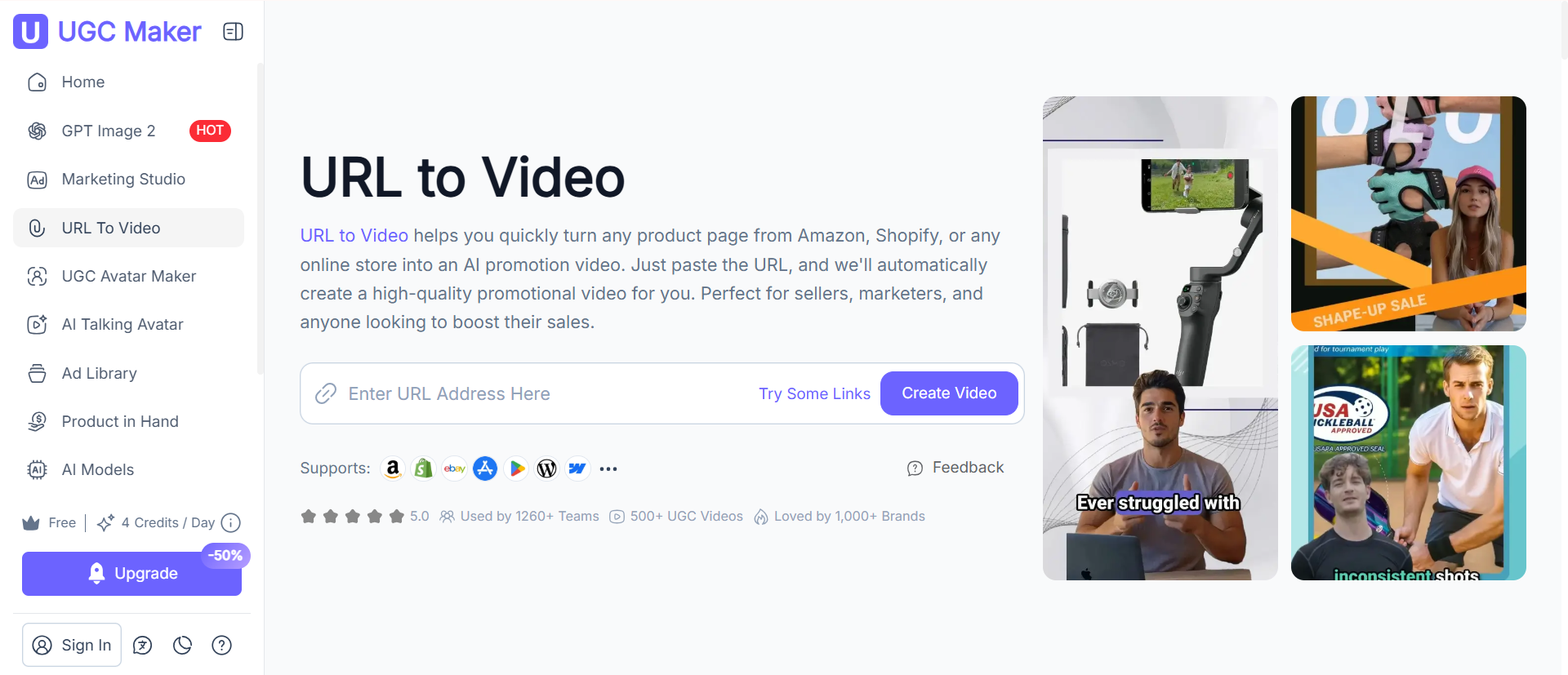
URL to Video Automation
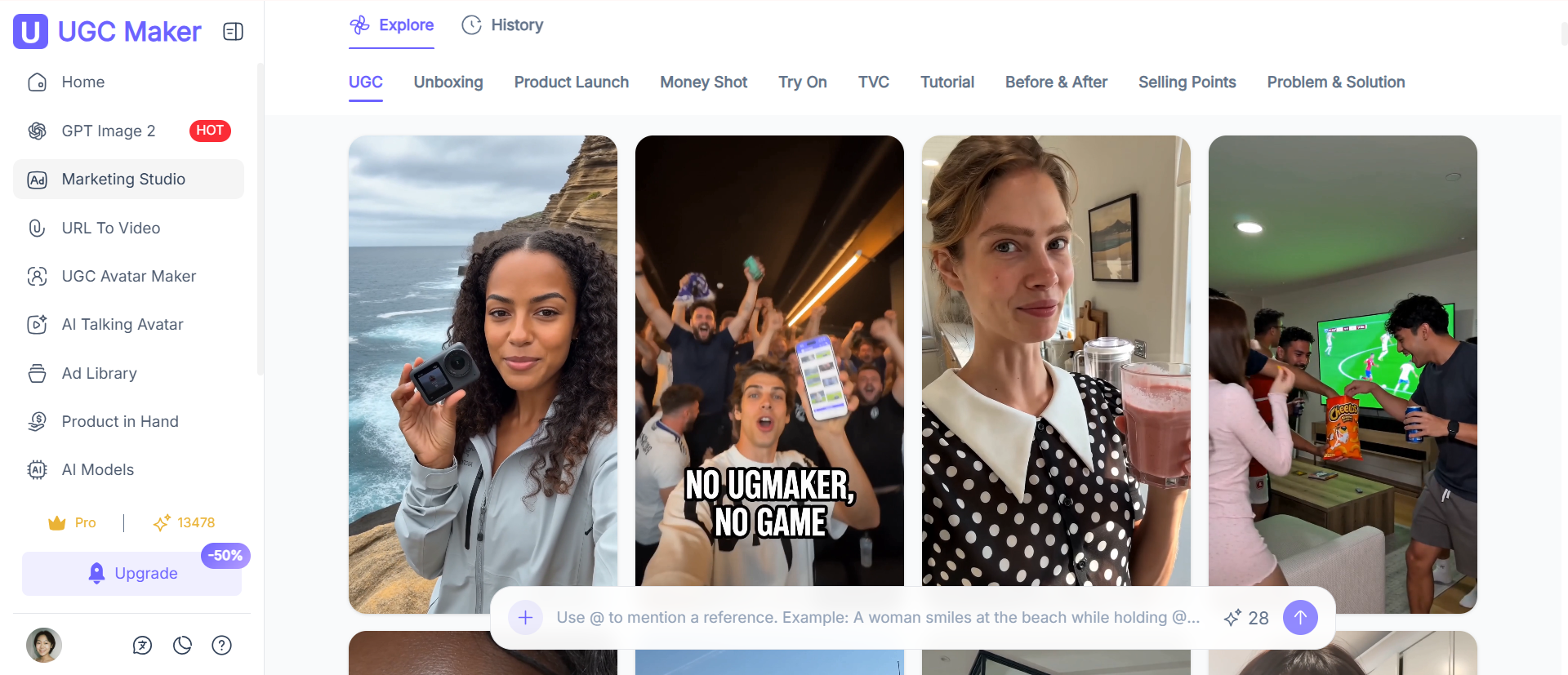
URL to Video is UGC Maker's flagship feature and the one that saves the most time for product marketers. You paste a link, from product page and the platform automatically pulls the product images, writes a performance-optimized script with a hook and CTA, assembles the video sequence, and adds captions and background music.
TopView AI has a similar URL-input feature, but it is routed through an agent conversation, meaning you still interact with the AI to confirm choices at each step. UGC Maker's process is fully automated end-to-end with optional manual overrides.
AI Avatar Selection and Realism
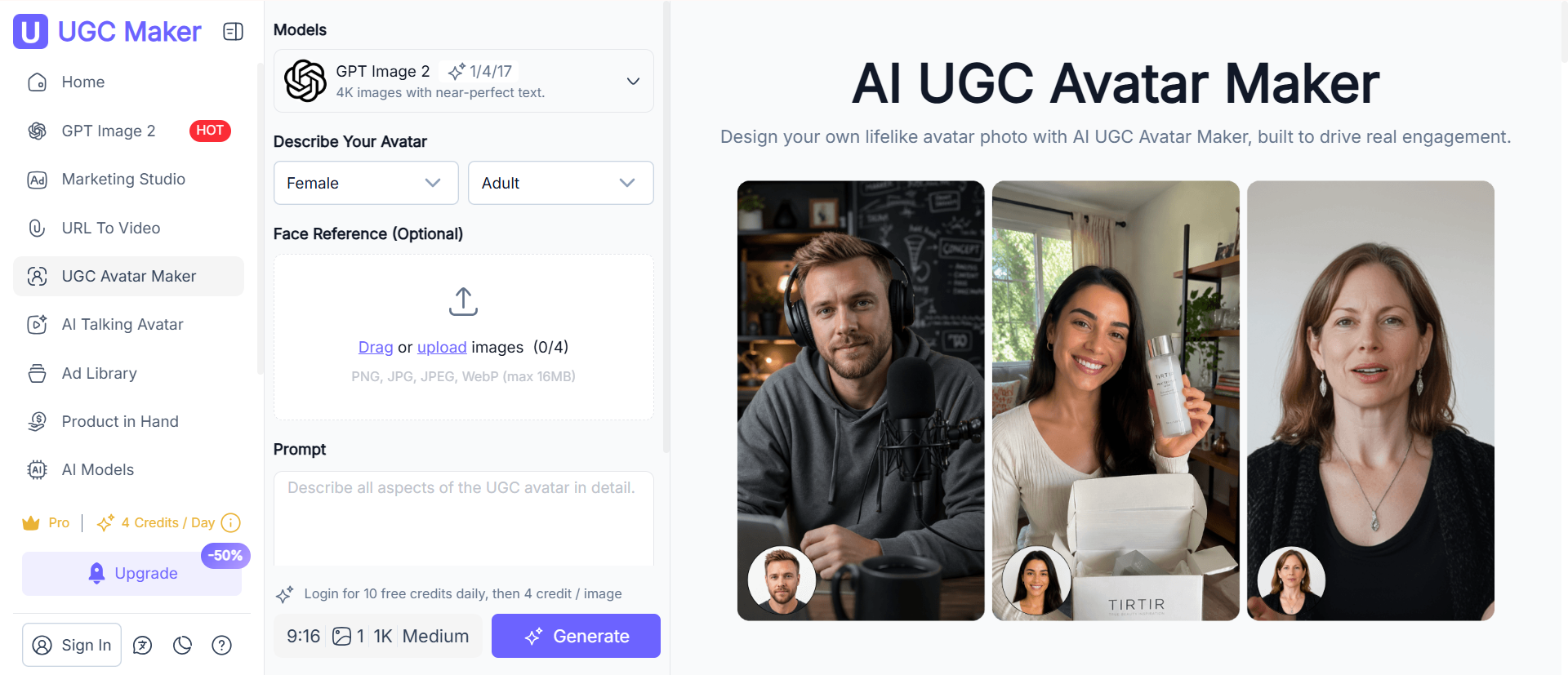
UGC Maker offers massive AI avatars with realistic facial expressions, natural movement, and flawless lip-sync with natural-sounding voice options. Avatars span diverse appearances, ages, and styles, making it genuinely possible to produce different videos.
You can explore these directly through UGC Avatar and AI Talking Avatar features, both of which support custom script input, voice selection, and multilingual output.
TopView AI's Product Avatar feature covers similar ground, but G2 reviewers consistently noted the movement repertoire is narrower, a visible limitation at high production volume.

Product in Hand: Authentic Demo-Style UGC
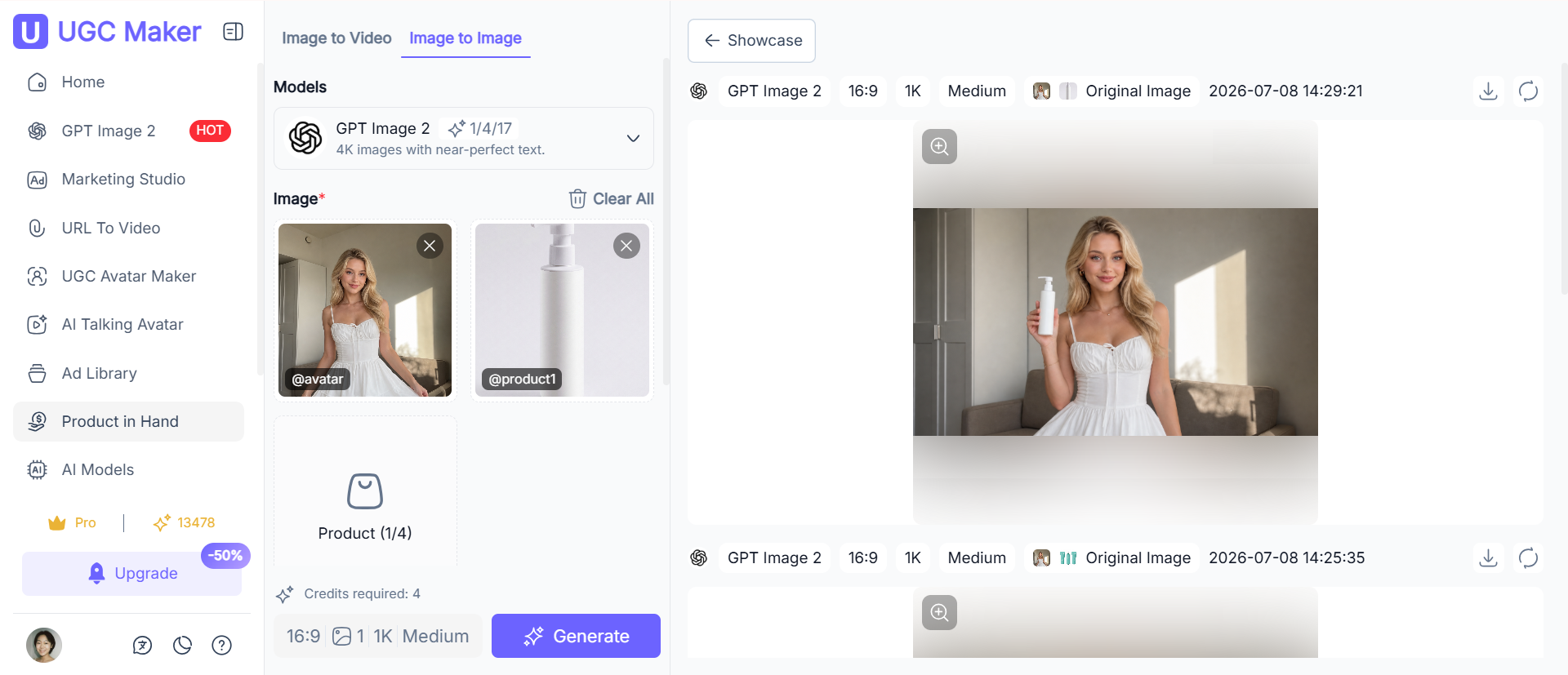
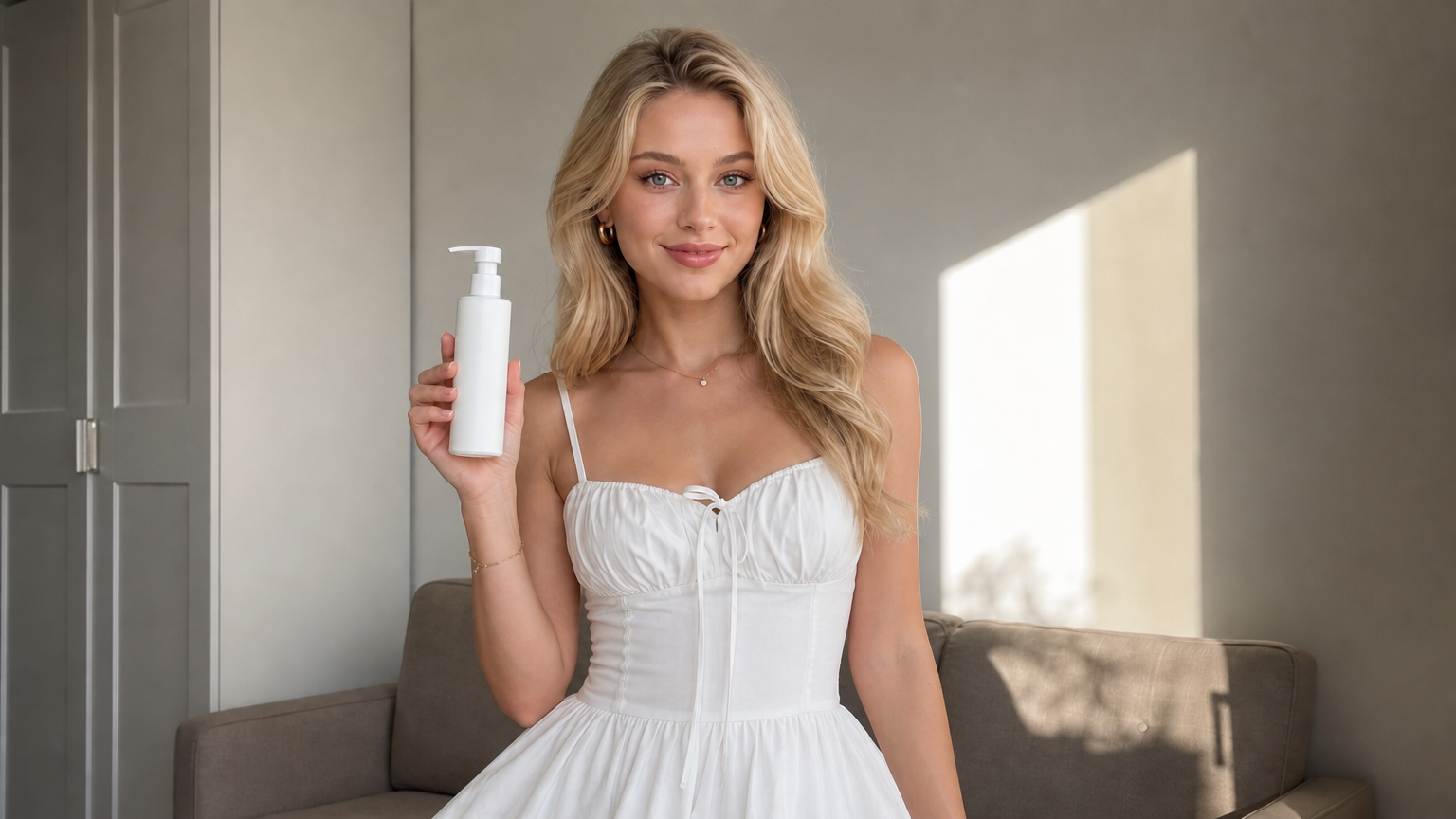
One feature that stands out in UGC Maker with no direct equivalent in TopView AI is Product in Hand. This capability generates video content that shows an avatar realistically holding, using, or demonstrating your product, mimicking the authentic unboxing and review format that performs best on TikTok and Instagram.
For e-commerce brands, demo-style content typically converts significantly better than standard avatar-presentation videos because it looks like a genuine customer recommendation rather than a produced ad.
Multilingual and Localization Support
Both platforms support multilingual content, but UGC Maker's language capabilities, featuring an extensive library of regional voices, are broader than TopView AI's 29-language offering. This is an important distinction for brands running campaigns across global markets.
UGC Maker vs TopView AI: Feature Comparison
| Feature | TopView AI | UGC Maker |
| URL-to-Video automation | Agent-guided | Fully automated |
| AI Avatar count | Limited library | Massive Avatar Library |
| Avatar movement variety | Moderate | Highly varied |
| Product in Hand / demo video | Not available | Dedicated feature |
| Marketing Studio workflow | Video Agent | Dedicated studio |
| Free tier | 10 one-time credits | 4 credits/day (no signup) |
| Starting paid price | $16/mo Annual Pay | From $9/mo Annual Pay |
| Credits expire | Yes | No expiry |
How to Create a Viral UGC Ad with UGC Maker (Step-by-Step)
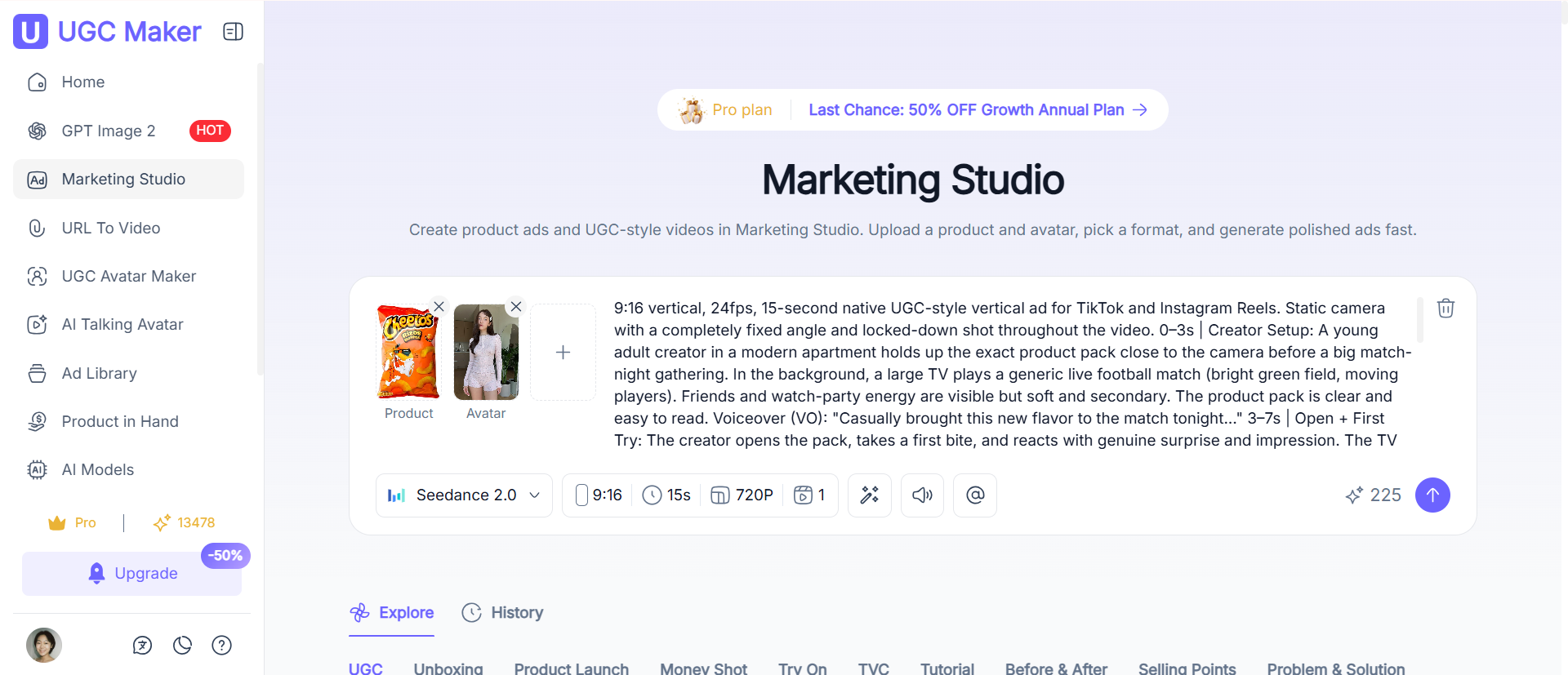
No recording studio, no script document, no editing timeline. The entire production happens inside Marketing Studio, UGC Maker's purpose-built workspace for turning product assets and AI avatars into ready-to-post ads. Here is the exact workflow.
Step 1: Open Marketing Studio
Go to UGC Maker and navigate to the Marketing Studio. You will see a clean input workspace with two dotted upload slots at the top, one for your Product image and one for your Avatar, and a prompt input field below them. No account is required to explore the interface; you can upload assets and write a prompt before signing in.
Step 2: Upload your Product image and choose your Avatar
Click the Product slot and upload your product photo, a packshot, lifestyle image, or any asset that clearly shows your product. Then click the Avatar slot and select your AI creator from the UGC Avatar, or upload a custom avatar reference. Once both assets are uploaded, their thumbnails appear in the slots and become available to reference in your prompt.
Tip: The more visually clear your product image, the more accurate the AI's product placement and interaction will be.
Step 3: Write your prompt using @ syntax
The prompt input reads: "Tell us how the avatar interacts with your product." This is where you direct the scene. UGC Maker uses an @ tagging system to bind your uploaded assets to the text for example:"woman@Avatar holds up @product1 to camera, smiles, and says it's her new morning essential"
As you type, your referenced assets are highlighted inline as color-coded tags, giving you a clear visual confirmation that the AI has connected your image to the right element in the scene. If you prefer not to write from scratch, click the "Create UGC Review" or "Product Demo" quick-tag below the input box to auto-load a high-performing prompt preset with matching parameters.
Step 4: Configure your output parameters
The parameter bar below the input lets you set:
- Model — Seedance 2.0 (default, optimized for UGC motion realism)
- Aspect ratio — 9:16 for TikTok, Reels, and Shorts (default); 1:1 or 16:9 also available
- Duration — 5 seconds default; adjustable based on your ad format
- Resolution — 720P standard; higher options available on paid plans
- Number of outputs — generate 1 to multiple variations in a single run for A/B testing
Pricing: UGC Maker vs TopView AI
| TopView AI | UGC Maker | |
| Free plan | 10 one-time credits | 4 credits/day, every day |
| Starter paid | $16/mo (annual) | From $9/mo |
| Business | $40/mo (annual) | Higher tiers available |
| Credits expiry | Monthly credits expire | No expiry |
| Free trial | Limited | Yes, daily free credits |
For solo creators and small teams, UGC Maker's daily free credits mean you can test the platform over an extended period before committing. For studios, the per-video cost at scale is lower, and there is no budget anxiety around unused credits disappearing at the end of the billing cycle.
Who Should Use UGC Maker?
UGC Maker is the right choice if you are:
- An e-commerce brand on Shopify, Amazon, or Etsy that wants to turn product pages into scroll-stopping TikTok and Instagram ads without a production team
- A marketing studio or agency managing multiple client accounts and needing a structured, scalable video production pipeline via the Marketing Studio
- A DTC brand running paid social campaigns that needs to produce 10–50 creative variations quickly for A/B testing
- A solo creator or YouTuber who wants to build consistent content without appearing on camera
- A startup that needs professional product demo videos generated directly from a landing page URL
UGC Maker may not be the right fit if you need:
- Cinematic short-film production with complex narrative arcs (TopView's Drama Studio is built for that use case)
- Advanced video editing of existing footage you have already shot
- Viral video cloning based on a specific reference video (TopView's Viral Video Agent is purpose-built for that workflow)
FAQ
What is the best TopView AI alternative?
For marketing studios and e-commerce brands focused on producing authentic UGC-style video ads at scale, UGC Maker is the strongest alternative. It offers a fully automated URL-to-Video pipeline, 1,000+ AI avatars, an Ad Library with spend data, and a dedicated Marketing Studio environment, all at a lower starting price than TopView AI.
Is UGC Maker free to use?
Yes. UGC Maker provides 4 free credits per day with no account required. Paid plans start from $9/month, and credits do not expire.
How does UGC Maker compare to TopView AI for UGC ads specifically?
UGC Maker is purpose-built for UGC-style ad production. It includes features like Product in Hand, which simulates a real customer holding your product, and an Ad Library that shows real high-converting ads with spend data. TopView AI's strength is speed and viral video cloning; UGC Maker's strength is authentic, scalable UGC ad production with studio-grade workflow tooling.
Can I use UGC Maker for TikTok ads?
Yes. UGC Maker automatically outputs in 9:16 vertical format optimized for TikTok, Instagram Reels, and YouTube Shorts. Scripts, hooks, pacing, and captions are all platform-optimized out of the box.
Does UGC Maker support multiple languages?
UGC Maker supports 54 languages with 140+ natural-sounding AI voices, including regional accents. This makes it well-suited for brands running localized campaigns across international markets.
What makes UGC Maker suitable for marketing studios?
The Marketing Studio provides a structured production pipeline for teams managing multiple clients or campaigns simultaneously. It supports batch video generation, A/B testing across creative variables, project organization, and consistent brand asset management, capabilities that TopView AI's conversational agent canvas does not offer.