


Batch content creation means producing all your product videos, ads, and social posts for a set period in one focused session instead of one at a time, and for ecommerce brands, pairing this workflow with AI generation tools is the fastest way to keep up with the volume that paid ads and multi-platform selling require.
If you sell online, content never really stops. A new product drops and you need a listing video. A campaign launches and you need five ad variations to test. A holiday sale hits and every channel wants fresh creative at once. Producing all of this one piece at a time is exhausting and slow, which is exactly the problem batch content creation solves.
This guide walks through what batch content creation actually means for an ecommerce business, why it matters more here than in almost any other industry, and a repeatable 4-step workflow you can start using this week, including where AI tools fit in to remove the biggest bottleneck: production.
What Is Batch Content Creation?
Batch content creation is a production method where you group similar tasks, ideation, filming or generating, editing, and scheduling, into dedicated blocks of time rather than handling each piece of content individually as it comes up.
Instead of writing one product description on Monday, filming one video on Wednesday, and designing one ad on Friday, you dedicate a single session to producing everything you need for the next two or four weeks in one pass.
For most content creators, batching applies to blog posts or social captions. For ecommerce, the scope is wider. A batch session might cover:
- Product demo and unboxing videos
- UGC-style ad creative for Meta, TikTok, and Amazon
- Social posts across Instagram, TikTok, and Pinterest
- Listing images and short-form video for new SKUs
- Localized versions of the above for different markets
Because ecommerce content has to serve both organic channels and paid ad accounts, batching isn't just a time-management trick here, it's how brands keep enough creative in rotation to avoid ad fatigue and stockouts of usable content.

Why Ecommerce Brands Should Batch Create Content
Save Time and Cut Production Costs
Every time you switch between planning, filming, and editing, you lose momentum rebuilding context. Batching removes that switching cost by grouping like tasks together, so a single afternoon can produce what would otherwise take a scattered week.
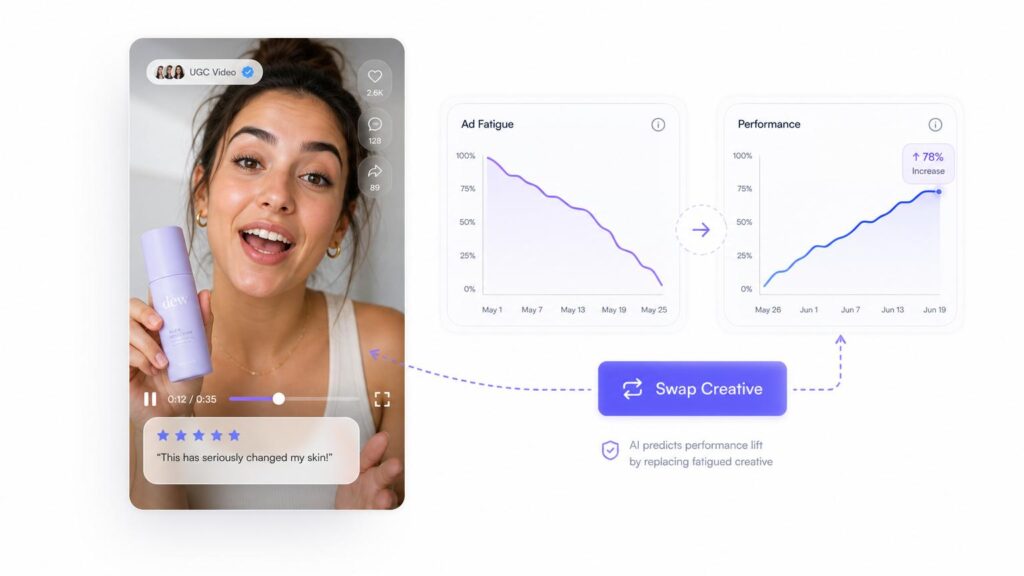
The savings compound on the paid media side. Ad creative doesn't last forever, 2025 benchmark data from Marpipe shows TikTok and Instagram Stories placements often saturate in as little as 7 to 10 days, with static images typically fatiguing faster than video. Meta's own internal research on repeated ad exposures found that conversion likelihood drops by around 45% after a person has seen the same creative four times. If you're only producing one ad at a time when performance drops, you're constantly playing catch-up. A batch of ready-to-deploy variations means you can rotate creative in before performance craters instead of after.
Keep Brand and Product Messaging Consistent
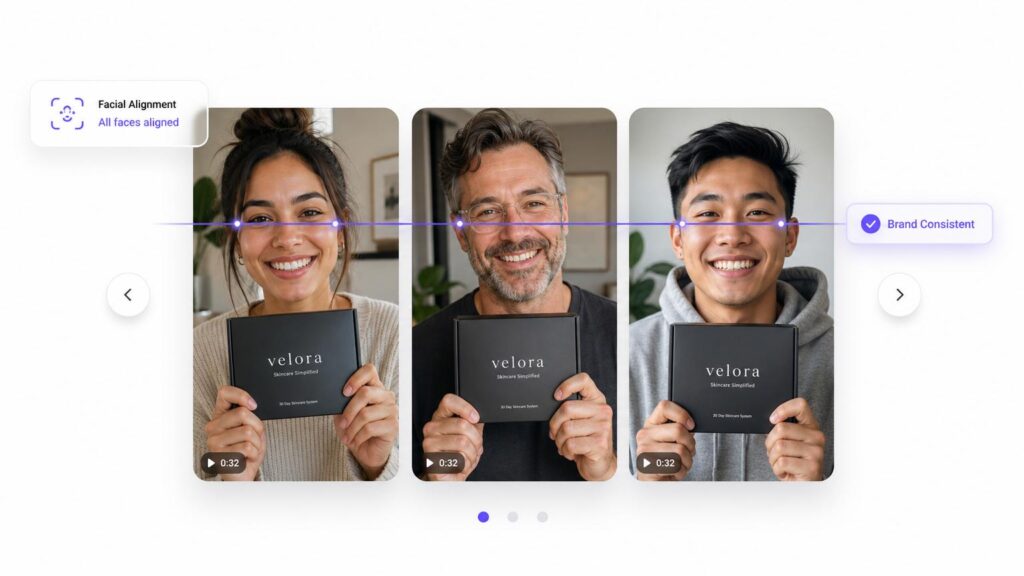
When you produce content piece by piece over weeks, tone and messaging tend to drift, different hooks, different claims, different visual style. Batching lets you see everything side by side, so you can catch inconsistencies before they go live, and make sure every product video, ad, and post is reinforcing the same core message.
This matters even more for cross-border sellers managing content in multiple languages. Producing an English batch and a localized batch together, rather than translating pieces on an ad-hoc basis, keeps messaging aligned across markets instead of drifting version to version.
Scale for Seasonal and Campaign Spikes
Product launches, restocks, and sale events all create short windows where you need a disproportionate amount of content fast. Trying to produce that volume reactively, one video at a time, right before a launch, is where most teams fall behind. Batching turns this into a planned sprint: you know a launch is coming, so you schedule a batch session in advance and walk into launch day with creative already in hand.
The 4-Step Workflow to Batch Create Ecommerce Content
Step 1 – Plan Your Content Pillars
Start by mapping out the content types you need on repeat, rather than brainstorming from a blank page every time. For most ecommerce brands, this includes:
- Product demonstrations and use-case videos
- Unboxing and first-impression content
- Social proof and testimonial-style UGC
- Comparison or "why we're different" content
- Seasonal or promotional creative
Once your pillars are set, list out the specific SKUs, campaigns, or channels each batch needs to cover before you move into production. This planning step is also where you decide format requirements up front, vertical for TikTok and Reels, square for feed ads, longer-form for listing pages, so production doesn't have to be redone later.
Tips for this step:
- Batch by hook or content type, not by SKU — film or generate all "unboxing" style content back to back, then switch to "before/after," instead of jumping styles for every product. Staying in one creative mode per block is what actually saves time.
- Keep a running swipe file of hooks and scripts that performed well in your last batch. Start planning from that list instead of a blank page every time.
- Match batch length to how fast your creative actually fatigues rather than a fixed calendar habit — TikTok and Stories placements tend to saturate in as little as 7 to 10 days, so plan those batches shorter and more often than feed ads or listing content.
- Cap each batch at 3–4 content pillars max. A batch that tries to cover everything usually doesn't get finished.
Step 2 – Batch Produce with AI Tools
This is usually the biggest bottleneck. Traditional production means booking creators, scheduling shoots, and waiting days or weeks for edited footage, none of which scales well when you need a dozen creative variations at once.
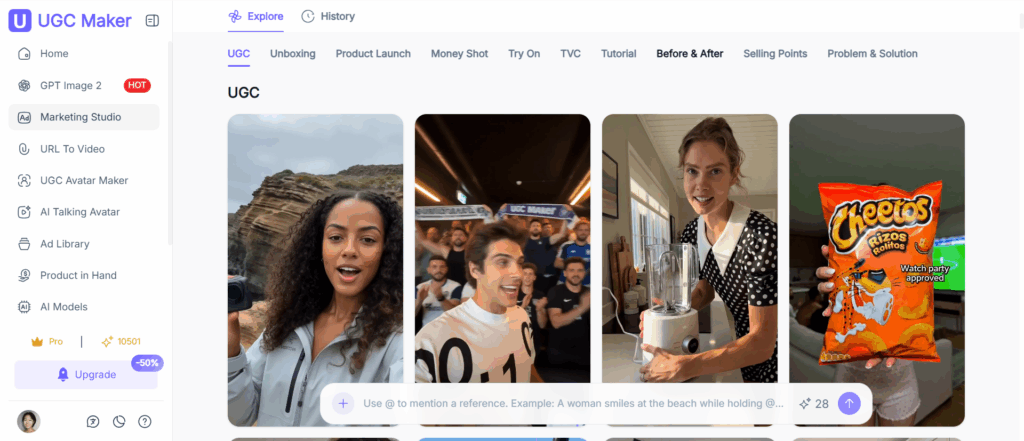
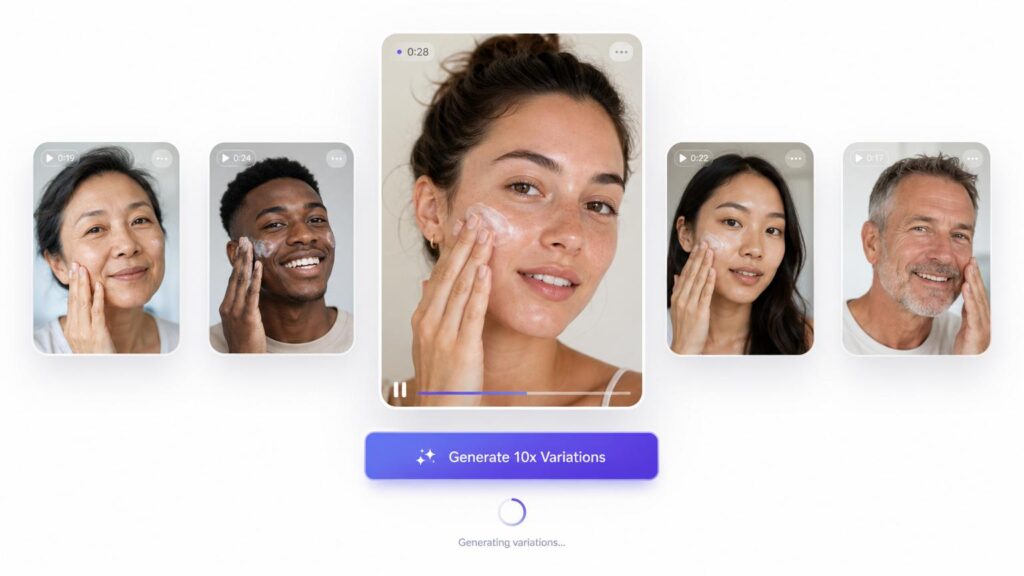
AI UGC video tools solve this by letting you generate multiple ad-ready videos from the same product input, with different avatars, scripts, and scenes, in a single session. Instead of one video per shoot day, you can produce a full batch of variations to A/B test, which is exactly what you need given how quickly individual creatives fatigue.
Two workflows worth building into your batch sessions:
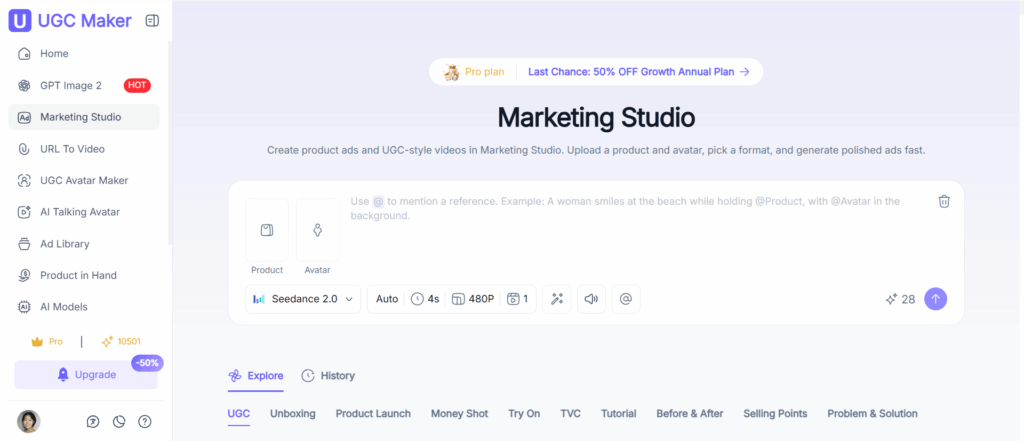
- If you already have product photos or footage, a tool like Marketing Studio can turn a single set of assets into multiple ad variations, different hooks, scenes, and avatars, so one batch session produces enough creative to test properly instead of just one "best guess" ad.
- If you're starting from scratch, URL to Video lets you paste a product page link and generate video content directly from it, which is useful for batching creative across many SKUs without manually re-uploading assets for each one.
Tips for this step:
- Generate 3–5 hook variations per SKU in the same session instead of settling for one "best guess" ad — you won't know which angle wins until it's live, so give yourself real options to test.
- Write out your hooks and scripts in a shared doc before you start generating. Producing from a script list keeps avatars and scenes consistent within the batch instead of drifting in tone from one output to the next.
- Tag each output the moment it's generated — batch date + hook type — so you're not sorting through unlabeled files when it's time to review or check performance later.
- Produce for your fastest-fatiguing placements first. If TikTok and Stories burn through creative in 7–10 days but your feed ads hold for weeks, generate that batch first so it doesn't run dry mid-cycle.
Step 3 – Review and Localize
Before anything goes live, review the batch as a set rather than individually, this is where you'll catch tone drift, repeated hooks, or claims that need a factual check. For cross-border sellers, this is also the point to localize copy and voiceovers for target markets, rather than translating content one piece at a time after the fact.
Tips for this step:
- Review the whole batch side by side in one sitting rather than approving pieces as they come in — drift across a batch is only visible when you see it all at once.
- Run a quick claims check against your ad platform's policies (health claims, "guaranteed," "best") before uploading. One flagged asset can hold up review for the entire batch.
- Build a shared glossary of brand and product terms for localization, so translators aren't each making their own call on tone for the same product.
- Have someone other than the person who produced the batch do the review pass — a second set of eyes catches drift the producer won't notice in their own work.
Step 4 – Schedule and Publish Across Channels
Once the batch is approved, load everything into your content calendar and ad accounts with specific publish or launch dates. Having a full batch ready means you can stagger releases strategically, for example, holding some variations in reserve to swap in once your first wave starts to fatigue, rather than scrambling to produce new creative reactively.
Tips for this step:
- Don't publish the entire batch on day one. Hold back 30–40% as reserve creative to swap in once your first wave's CTR starts declining — conversion likelihood drops by roughly 45% by a creative's fourth repeated exposure to the same user, per Meta's own creative fatigue research, so that reserve usually gets used sooner than you'd expect.
- Stagger by platform speed: push to fast-fatiguing channels (TikTok, Stories) first, then slower ones (feed ads, Amazon) after — publishing everything simultaneously wastes reserve creative on channels that didn't need it yet.
- Tag each published asset with its batch ID inside your ad platform's naming convention, so when performance data comes in you can trace results back to the exact planning session that produced it.
Tools for Batch Creating Ecommerce Content
Traditional Options
Design tools like Canva work well for batching static social graphics, and hiring a pool of UGC creators through a marketplace can work for brands with the budget and lead time to manage briefs, shoots, and revisions across multiple people. The tradeoff is speed and cost, sourcing and coordinating multiple creators for a single batch typically takes days to weeks. If you're evaluating creator marketplaces as part of your content mix, this comparison of UGC platforms breaks down how the major options differ.
AI-Powered Batch Content Tools
For ecommerce brands that need volume on a tighter timeline, AI generation tools remove the scheduling and coordination bottleneck entirely. A platform like ugcmaker.io is built specifically around this use case: generating multiple UGC-style product videos in one session, sized and formatted for the channels you're actually running ads on, so a single batch session can output a week or a month's worth of test-ready creative instead of a single ad.
How Different Ecommerce Teams Should Batch Content
Solo Sellers and Small Teams
If you're running content alone, compress your batch into a single focused session, plan pillars and scripts in the morning, generate and review creative in the afternoon. AI generation is particularly valuable here since it replaces the multi-day wait for outsourced production with same-session output.
Growing Brands With Marketing Teams
With more people involved, batching can stretch across a week: one stretch for cross-functional planning and briefing, a second for production and generation, and a final pass for approvals and scheduling. This cadence gives designers, copywriters, and paid media managers room to weigh in without bottlenecking the whole batch on one person's calendar.
How to Measure Batch Content Success
Batching only pays off if you're tracking what the batch actually produces. At minimum, monitor:
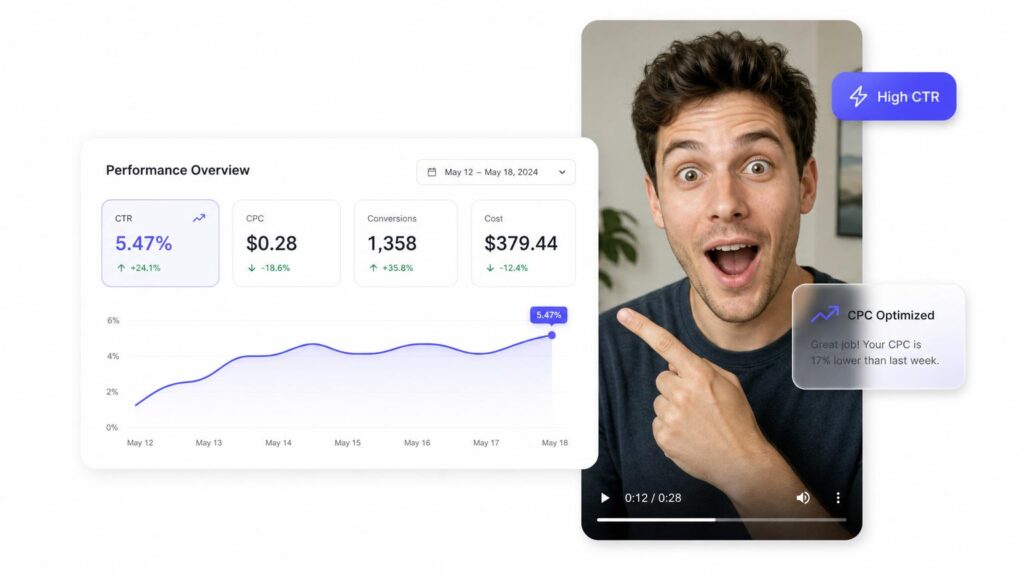
- CTR and CPC on ad variations from the batch, to see which creative angles are working
- Frequency and CTR decline over time, so you know when a batch is approaching fatigue and it's time to rotate in reserved variations
- Conversion rate by creative, not just by campaign, so you can identify which formats or hooks to produce more of in your next batch
Feeding these results back into your next planning session (Step 1) is what turns batching from a one-off time-saver into a compounding content system.
Start Batch Creating Ecommerce Content with UGC Maker
Batch content creation works best when production isn't the bottleneck. If you're spending more time coordinating shoots than actually testing creative, an AI UGC video platform can compress a week of production into a single session, so you always have fresh ad variations ready before your current batch starts to fatigue.
FAQ
What is batch content creation?
Batch content creation is a workflow where you group similar tasks, planning, production, editing, and scheduling, into a single dedicated session, producing a set of content at once rather than piece by piece over time.
How much content should I batch at once?
This depends on your posting and ad testing cadence, but a useful baseline is enough creative to last through one full fatigue cycle, typically 10 to 14 days of active ad delivery, plus a few reserve variations to rotate in when performance starts to decline.
Can AI batch create UGC ads for ecommerce?
Yes. AI UGC video tools can generate multiple ad-ready videos with different scripts, avatars, and scenes from the same product input in a single session, which is significantly faster than coordinating individual shoots or creator briefs for each variation.
How often should ecommerce brands batch produce content?
Most brands batch on a biweekly to monthly cadence, timed around ad creative fatigue cycles and upcoming product launches or sale events, with smaller top-up batches ahead of major campaigns.