

TL;DR
- A 16K image upscaler should be evaluated against the pixel dimensions you actually need. A preset label or a large scale factor is not proof of the exported size or visual quality.
- In this guide, the 16:9 example is 15,360 × 8,640 pixels, approximately 132.7 megapixels. That is 16 times the pixel count of UHD 4K and 64 times that of 1080p.
- UGC Maker offers a 16K-labelled option; Topaz documents long-edge and file-size limits; Let's Enhance specifies megapixel limits; Bigjpg advertises enlargement factors. These are different kinds of specifications.
- This is a source-based comparison of four options, not a hands-on ranking. No tool is declared the fastest, sharpest or best overall.
- Check output dimensions, text, faces, texture and the total cost of accepted images before processing a large batch.
Updated October 15, 2026. This revision replaces the earlier ten-tool ranking with a documented specification comparison. The previous version's claims of comparative testing and a best-overall winner were not supported by a reproducible test record and have been removed. It also corrects the 16K pixel-count comparison.
Publisher and method: UGC Maker publishes this article and offers one of the tools discussed. This AI-assisted revision uses official vendor documentation and plan pages checked on October 14, 2026, plus UGC Maker's available product controls. It does not report measured processing times, independent quality scores or verified competitor exports. The four tools were selected to illustrate different output-limit and workflow models; their order is not a ranking.
What does 16K mean for an image?
“16K” is shorthand, not a complete still-image specification. For a 16:9 example, this guide uses 15,360 × 8,640 pixels. Other aspect ratios have different heights and pixel counts, and some services use 16,000 pixels as a target edge. Write down the exact dimensions your project requires.
| Example size | Dimensions | Total pixels | Relative to 1080p |
|---|---|---|---|
| 1080p | 1,920 × 1,080 | 2,073,600 | 1× |
| UHD 4K | 3,840 × 2,160 | 8,294,400 | 4× |
| UHD 8K | 7,680 × 4,320 | 33,177,600 | 16× |
| 16K example | 15,360 × 8,640 | 132,710,400 | 64× |
These are arithmetic comparisons of width multiplied by height. They do not measure recovered detail. Increasing each dimension fourfold creates sixteen times as many pixels, not four times as many.
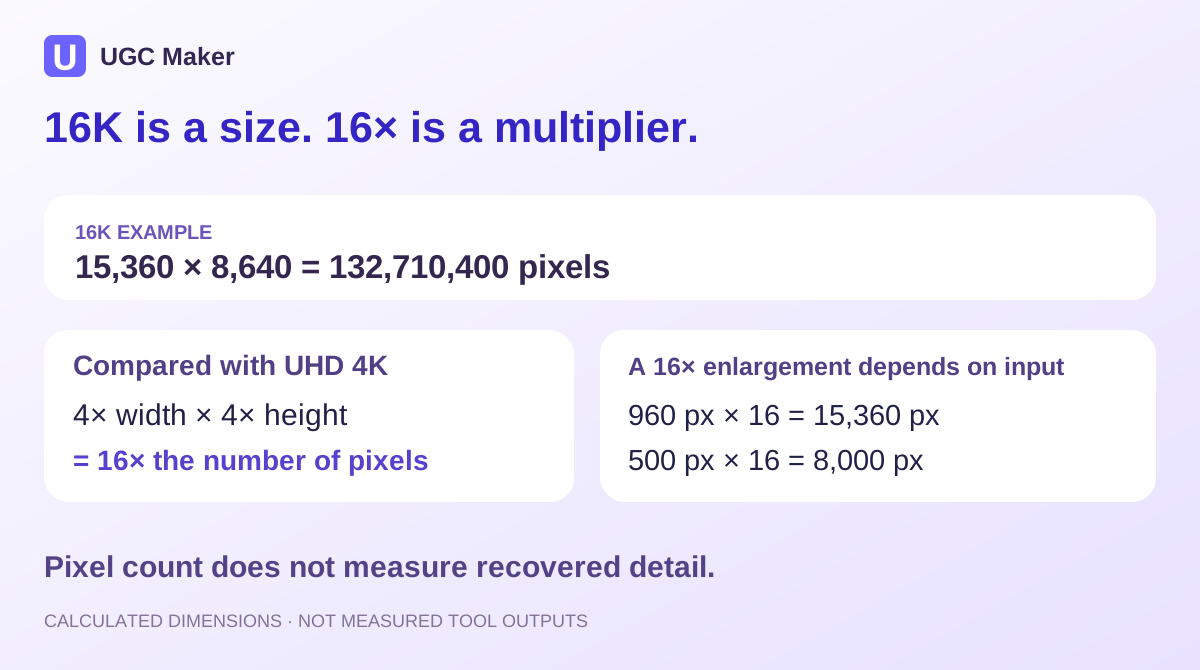
Editorial calculation diagram. It is not an upscaled photograph or a quality comparison.
Upscaling can estimate texture and make edges look more defined, but the result does not establish what was present in the original scene. Treat small lettering, faces, patterns and product details as information to verify, not automatically recovered facts.
Four image upscalers: documented limits and buying checks
Specifications below were checked on October 14, 2026. Vendor limits are not independent output tests. Check the selected version, model and plan before purchasing.
| Tool | Documented control or limit | What it tells you about 16K | Access or cost check |
|---|---|---|---|
| UGC Maker AI Image Upscaler | 2K, 4K, 8K and 16K-labelled choices | A 16K target is offered; actual export dimensions and aspect-ratio behavior were not measured for this comparison | Review the displayed credit requirement and available balance |
| Topaz Gigapixel | Standalone maximum: 32,000 pixels on the longest edge or a 2 GB file, whichever is reached first | A 15,360-pixel edge is below the documented edge ceiling; source size and other limits still matter | Check current subscription, model and hardware requirements |
| Let's Enhance | Free plan card: 8 MP; Starter plan card: 256 MP | A 132.7 MP target exceeds the free cap but is below the Starter card's pixel ceiling | Confirm the output target and applicable plan; review credits and watermark terms |
| Bigjpg | Free plan: up to 4×; paid plans list up to 16× | A multiplier alone does not establish a 16K output; calculate it from the source | Confirm the required factor, upload limits and paid entitlement |
A ceiling is a necessary check, not proof that an image will finish successfully or look good. Likewise, a free preview does not establish that a full-resolution, usable export is free.
UGC Maker: a browser workflow with a 16K target
The AI Image Upscaler offers resolution choices up to 16K. Its current upload controls accept JPG, JPEG, PNG and WebP files up to 16 MB each, with up to ten images in a batch.
For a first run, upload one image, select the intended target and review the credit requirement. After processing, inspect the downloaded file's actual dimensions and compare its details with the source before using the same settings for a batch.
The 16K label is not evidence of a particular internal method. This guide does not claim native single-pass processing, no tiling, fixed dimensions for every aspect ratio, an uncapped free tier or a measured processing speed. If a delivery requires exactly 15,360 × 8,640 pixels, verify that in the exported file rather than relying on the selector alone.
Consider it when: you want to evaluate a browser-based resolution workflow within UGC Maker. The decision still depends on your sample's output, available credits and export requirements.
Topaz Gigapixel: check both dimensions and processing requirements
Topaz's upscale documentation describes scale-factor controls up to 6× and custom width or height settings. Its image documentation gives a standalone limit of 32,000 pixels on the longest edge or 2 GB, whichever comes first.
Those limits make the source dimensions relevant. A 1,000-pixel-wide source multiplied by 6 becomes 6,000 pixels wide; seeing a 32,000-pixel ceiling does not mean every source automatically reaches it with the ordinary scale control.
Check the system requirements for your hardware and intended models. Large files can require more memory than an ordinary photo workflow.
For a new purchase, consult the current app and subscription options. The earlier article's blanket description of Gigapixel as a one-time purchase should not guide a current buying decision.
Consider it when: you want to evaluate its desktop sizing controls and can meet the relevant processing requirements. These specifications do not establish superior detail retention over the other options.
Let's Enhance: distinguish plan limits from the headline maximum
The pricing page lists an 8 MP output ceiling on the free plan card and 256 MP on Starter. Its higher cards list 350 MP and 512 MP. The general FAQ on the same page gives different summary limits, so confirm the specific entitlement if a large output is essential.
Our 15,360 × 8,640 example is approximately 132.7 MP. It therefore exceeds the free card's limit but sits below the Starter card's ceiling. That arithmetic is a plan-screening step, not proof of a successful export at those exact dimensions.
The page also distinguishes free watermarked results from paid downloads. Check billing cadence, available credits and export conditions, not only the largest number in the marketing headline.
Consider it when: a cloud workflow with plan-based megapixel limits fits your process, and the service confirms your required output under the selected plan.
Bigjpg: 16× is not the same as 16K
Bigjpg's plan table lists up to 4× enlargement for free users and up to 16× for paid plans. The distinction matters because a multiplier scales the input dimensions.
For example, a 960 × 540 source multiplied by 16 would mathematically become 15,360 × 8,640. A 500 × 500 source multiplied by 16 would become 8,000 × 8,000. These examples illustrate the arithmetic; neither is a measured Bigjpg export.
The product offers artwork and photo options. That makes it a candidate to evaluate with your own material, but does not demonstrate that it outperforms other tools on anime, illustration or photographs.
Consider it when: factor-based enlargement fits your source and intended size. Check the available factor, upload constraints and actual result before committing to a batch.
Calculate your target before choosing a tool
Use these two calculations:
- Required linear scale = target width ÷ source width, when retaining the same aspect ratio.
- Output megapixels = output width × output height ÷ 1,000,000.
A 3,840 × 2,160 source needs a 4× linear enlargement to reach 15,360 × 8,640. A 1,920 × 1,080 source needs 8×. Both targets have the same pixel count, but the smaller source supplies less original information.
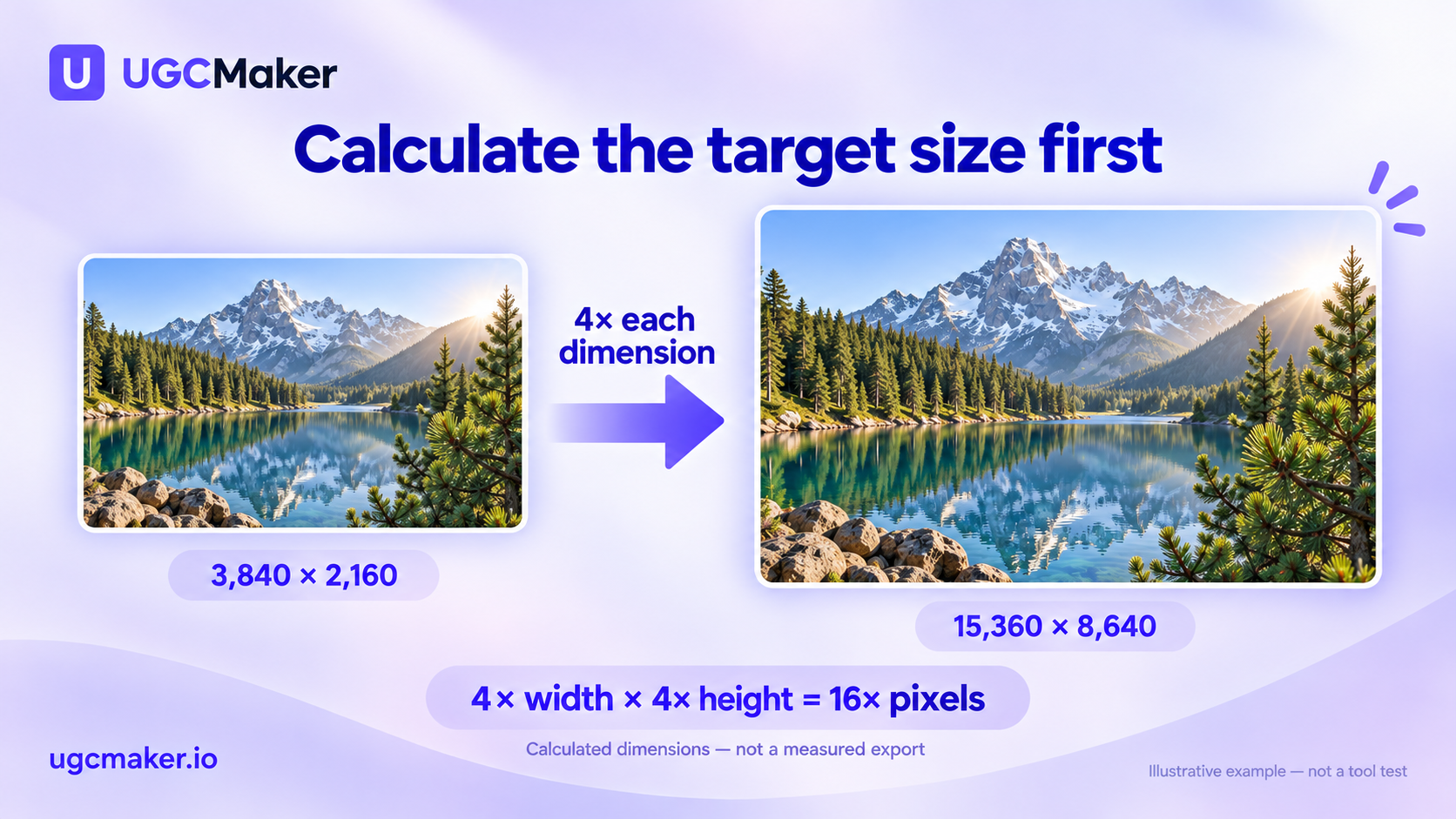
Calculated example; the display frames are not drawn to scale. The landscape illustrates the arithmetic, not a measured export or recovered detail.
If your target has a different aspect ratio, decide whether to crop or add canvas first. Stretching the image to match width and height independently changes its proportions.
For print, calculate pixels from the physical size and the printer's requested pixel density. A hypothetical 24 × 16-inch print at 300 pixels per inch requires 7,200 × 4,800 pixels, or 34.56 MP. That example does not require our 16K target. Confirm the required density, crop and bleed with the printer.
For a website or ad placement, obtain the delivery dimensions first. A larger master can be useful, but a 132.7 MP file should not be the default delivery merely because it is available.
Compare quality with a repeatable sample
The following is a procedure you can run, not a report of tests performed for this article.
- Choose representative originals. Include a product label, a textured surface and a face or illustration if those are part of your work. Keep the original files unchanged.
- Use the same target dimensions. Record tool, date, model, settings and any crop. Disable optional creative changes when the aim is source fidelity.
- Verify the exported size. Read width and height from the downloaded file, not from its filename or a preset label. Record file format and size too.
- Inspect matching regions at 100%. Compare lettering, repeated patterns, contours and fine texture. Look for invented strokes, halos, waxy surfaces and repeated synthetic detail.
- Judge the delivery view. Check the actual display size or obtain a print proof. Full-size inspection finds errors; the intended use determines whether the result is acceptable.
- Record attempts and cost. Count rejected candidates as well as accepted outputs. For timing, record queue time and processing time consistently rather than comparing unrelated runs.
For a deeper explanation of resizing tradeoffs, see how to upscale an image without losing quality.
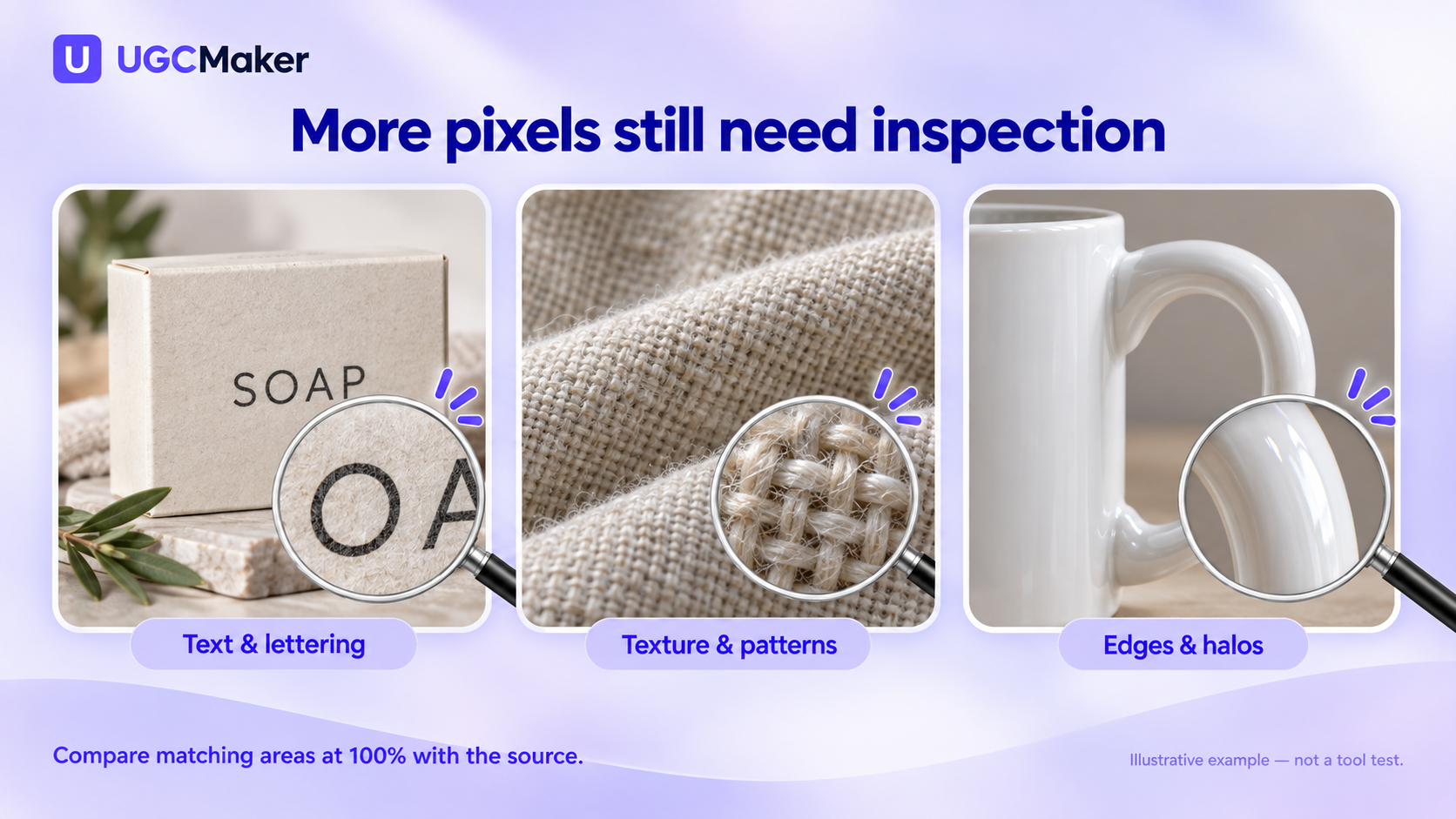
Inspect matching regions in your source and output. These examples show what to examine, not benchmark results from the listed tools.
Compare the cost of usable output
Before paying, confirm the export size, watermark policy, credits per attempt and whether the required model or output setting is included. For desktop software, also account for the hardware needed by the selected workflow.
A useful planning measure is cost per accepted image, rather than the advertised price of a single generation. As a hypothetical example, $10 spent on ten attempts that produce four usable images works out to $2.50 per accepted image. This is an illustration, not a measured cost for any listed service.
When quality is the deciding factor, one representative export is more informative than an unsupported “best” label. Choose the tool that meets your actual dimensional, fidelity and cost requirements on that sample.
Frequently asked questions
Is a 16K image always better than 4K?
No. It contains more pixels at comparable aspect ratios, but the source and processing determine whether those pixels add useful detail. An oversized file with invented lettering can be less useful than a smaller faithful image.
Can I upscale a small photo to 16K without losing quality?
You may be able to produce a larger file, but that does not guarantee the original scene's missing detail is recovered. Use the best source available and inspect important details. For text or exact product attributes, a new photograph may be the better solution.
Which 16K image upscaler is free?
The documented free limits above do not establish a universal free 16K export. Let's Enhance's free card falls below our 132.7 MP example, and Bigjpg's free multiplier depends on the input size. Check UGC Maker's available credits and the actual export conditions before assuming free access.
How long does a 16K upscale take?
This comparison did not measure processing time. Input size, model, hardware and queue conditions can affect it. Time your representative file in the workflow you plan to use rather than relying on a blanket “under one minute” claim.
What should I try first?
Write down your required dimensions and choose one representative source. If you want to start in UGC Maker, open the AI Image Upscaler, review the available settings and credits, then inspect one exported result before expanding to a batch.